How does JavaScript drawing work? First, a dynamic image (canvas) of a certain size is created. Then in JS you create a context, which actually draws the lines. It's helpful to imagine the context as the cat from Scratch. Remember? It can move to any coordinate, make "pen down", "pen up" and so on. The context works almost the same way.
The main commands are: beginPath = start drawing, moveTo(x, y) = move the cat to the specified coordinates and lineTo(x, y) = draw a line from the current coordinates to the new ones. The line isn't actually drawn yet; to make it appear, you need to add the stroke() command, which allows you to set the line's thickness and color. There are also commands for drawing rectangles, circles and erasing an area. It's important to remember that the coordinates in this temporary image/canvas are counted from the upper left corner, meaning the upper left corner is (0,0).
Here are some PDF books about drawing in Javascript:
JavaScript: The Definitive Guide
2006 by David Flanagan

Download PDF
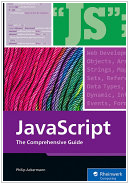
JavaScript: Mastering JavaScript from Basics to Advanced Topics
2024 by Rheinwerk Publishing, Inc, Philip Ackermann
Download PDF
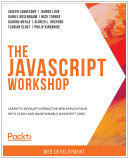
The The JavaScript Workshop: Learn to develop interactive web applications with clean and maintainable JavaScript code
2019 by Joseph Labrecque, Jahred Love, Daniel Rosenbaum, Nick Turner, Gaurav Mehla, Alonzo L. Hosford, Florian Sloot, Philip Kirkbride
Download PDF
See also: Top 10 eBook Organizers
How to download PDF:
1. Install Gooreader
2. Enter Book ID to the search box and press Enter
3. Click "Download Book" icon and select PDF*
* - note that for yellow books only preview pages are downloaded