
Paperpile
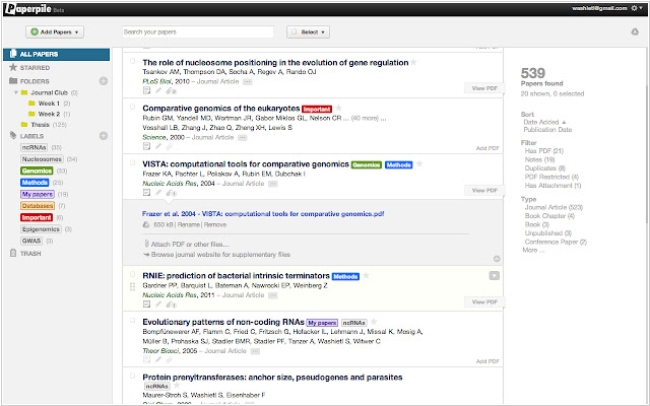
Simple and convenient web app for managing bibliographic references, integrated with Google Apps (allows you to log in with your Google account, sync PDFs with Google Drive, cite articles in Google Docs, collect references using a Chrome extension). Paperpile lets you organize your articles with folders, tags, and stars, search the library in real time or quickly find articles online. It automatically corrects incomplete references and removes duplicates. You can import data directly from Google Scholar, PubMed, ArXiv and thousands of supported publisher websites. Apps for iOS and Android are available, as well as a Word plugin.
Best Paperpile alternatives


Here are the latest news about Paperpile:
19.05.26. Paperpile adds AI chat integration
Paperpile, a web app for managing bibliographic references, now lets you send PDF articles to ChatGPT, NotebookLM or any other supported AI assistant. The new feature called Ask AI helps you quickly find a key citation or data point that will lead to the next step in your research. You can add one or more (up to 10) PDFs from your library to Ask AI, select a prompt and initiate a conversation with your preferred AI assistant (ChatGPT, Gemini, Claude or Copilot). Paperpile will send your full-text PDF and the selected prompt to the AI assistant. You can then ask follow-up questions, add additional articles or view citations in the full-text source PDF.
2022. Paperpile created free citation app for students
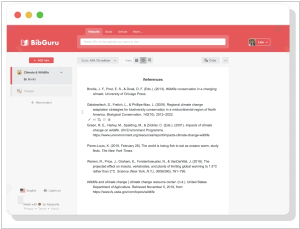
Paperpile has created a new app called BibGuru, a simple and streamlined citation generator specifically designed for students. While collaborating with students, the company recognized that conventional reference managers such as Paperpile can be excessive for basic student essays. To address this issue, they created a new app. The aim of BibGuru was to develop a citation tool that is user-friendly and requires minimal training to operate. BibGuru is completely free and features a search bar that allows students to search for books, websites and journal articles and add them directly to a bibliography. MLA, APA and thousands of other citation styles can be used to generate citations and references. Students can create individual assignments and folders can be used to arrange sources according to assignment requirements, source type, or other criteria. Citations and bibliographies can be exported as a Word document, copied and pasted into Google Docs, or exported as bibliographic data files (BibTeX or RIS) for use with other reference management apps.
2021. Paperpile comes to iOS and Android
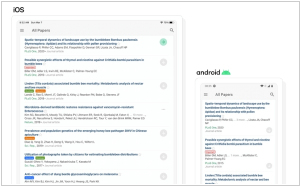
Paperpile has announced the availability of its Academic Paper Management software for iOS and Android, enabling users to sync their web library seamlessly across all their mobile devices. Any new references saved on the web app on the computer will be instantly available on the phone and tablet and vice versa. The software allows users to select which PDFs to download to their device instead of automatically downloading all 10 GB worth of PDFs. Users can also choose to download all PDFs in a specific folder or with a specific label. The "Add new" tab features a search bar with an up-to-date database of over 150 million articles, including biomedical papers from PubMed, preprints from arXiv and articles with DOIs from CrossRef. With the Chrome extension, users can save references and PDFs with a single click while browsing.
19.05.26. Paperpile adds AI chat integration
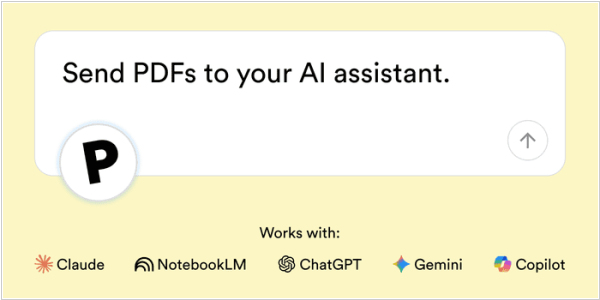
Paperpile, a web app for managing bibliographic references, now lets you send PDF articles to ChatGPT, NotebookLM or any other supported AI assistant. The new feature called Ask AI helps you quickly find a key citation or data point that will lead to the next step in your research. You can add one or more (up to 10) PDFs from your library to Ask AI, select a prompt and initiate a conversation with your preferred AI assistant (ChatGPT, Gemini, Claude or Copilot). Paperpile will send your full-text PDF and the selected prompt to the AI assistant. You can then ask follow-up questions, add additional articles or view citations in the full-text source PDF.
2022. Paperpile created free citation app for students
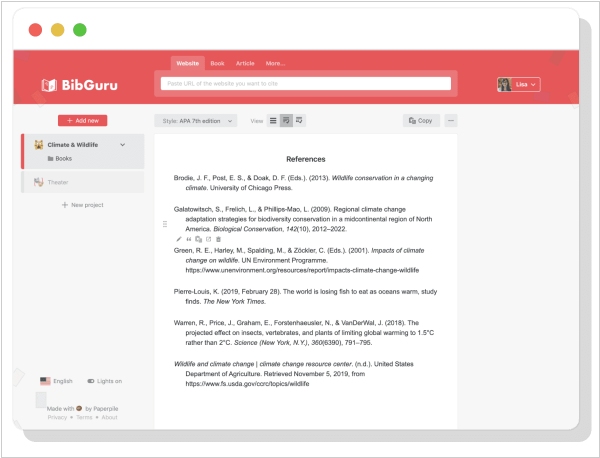
Paperpile has created a new app called BibGuru, a simple and streamlined citation generator specifically designed for students. While collaborating with students, the company recognized that conventional reference managers such as Paperpile can be excessive for basic student essays. To address this issue, they created a new app. The aim of BibGuru was to develop a citation tool that is user-friendly and requires minimal training to operate. BibGuru is completely free and features a search bar that allows students to search for books, websites and journal articles and add them directly to a bibliography. MLA, APA and thousands of other citation styles can be used to generate citations and references. Students can create individual assignments and folders can be used to arrange sources according to assignment requirements, source type, or other criteria. Citations and bibliographies can be exported as a Word document, copied and pasted into Google Docs, or exported as bibliographic data files (BibTeX or RIS) for use with other reference management apps.
2021. Paperpile comes to iOS and Android
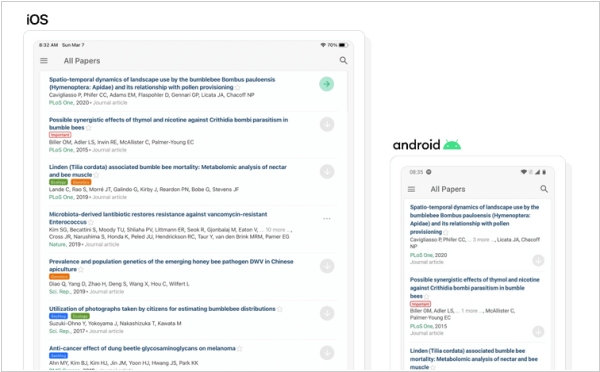
Paperpile has announced the availability of its Academic Paper Management software for iOS and Android, enabling users to sync their web library seamlessly across all their mobile devices. Any new references saved on the web app on the computer will be instantly available on the phone and tablet and vice versa. The software allows users to select which PDFs to download to their device instead of automatically downloading all 10 GB worth of PDFs. Users can also choose to download all PDFs in a specific folder or with a specific label. The "Add new" tab features a search bar with an up-to-date database of over 150 million articles, including biomedical papers from PubMed, preprints from arXiv and articles with DOIs from CrossRef. With the Chrome extension, users can save references and PDFs with a single click while browsing.
Add comment
