Why? Isn't it more convenient when variables can change their type as desired (like in Python or JS)? Yes, but large projects, because of this freedom, turn into chaos and break. That's why.
But not everything is so simple with TypeScript. And when you ask "How do I get TypeScript into browser?" - books usually answer that this is impossible and give this historical overview:
JavaScript was originally created for browser (in 1995) to make websites more interactive. Many developers learned JS very well. But when they wanted to write server-side code for websites or web applications, they had to learn other languages, like PHP or C#. "How wonderful would it be if both frontend and backend could be written in the same language!" - they thought. (LLM didn't exist back then, so it truly seemed wonderful)
In 2009, one guy (Ryan Dahl) wrote Node.js - runtime that allows JavaScript programs run on the server rather than in browser and interact with file system, databases and web-server. Node.js gained big popularity and developers started using it to build web applications. Numerous Node.js extensions for working with .js files were developed and soon it became a base for almost all large JS projects (both frontend and backend). That is when the problem of data type chaos became increasingly pressing.
And then Microsoft came to the rescue. Microsoft was also developing frontends for their products (Azure, Office Online) in JS and using Node.js. To deal with the type chaos, they created an add-on for Node.js - TypeScript (in 2012) and then shared it with the community.
That is, technically, TypeScript is a compiler inside Node.js that adds some syntax to JavaScript, converts .ts files into .js files and checks if the variable types are strict (and if not - gives an error). Therefore, TypeScript isn't installed separately, but rather through the Node.js package manager.
Here are the promised books about TypeScript:
Learning TypeScript
2023 by LEWIS NORTON

Download PDF
Effective TypeScript: 83 Specific Ways to Improve Your TypeScript
2024 by Dan Vanderkam
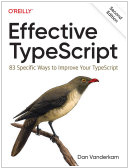
Download PDF
TypeScript Revealed
2013 by Dan Maharry
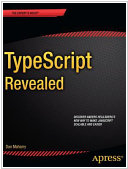
Download PDF
See also: Top 10 eBook Organizers
How to download PDF:
1. Install Gooreader
2. Enter Book ID to the search box and press Enter
3. Click "Download Book" icon and select PDF*
* - note that for yellow books only preview pages are downloaded