Paperpile vs Zotero
February 23, 2026 | Author: Laura Candler
8

Simple and convenient web app for managing bibliographic references, integrated with Google Apps (allows you to log in with your Google account, sync PDFs with Google Drive, cite articles in Google Docs, collect references using a Chrome extension). Paperpile lets you organize your articles with folders, tags, and stars, search the library in real time or quickly find articles online. It automatically corrects incomplete references and removes duplicates. You can import data directly from Google Scholar, PubMed, ArXiv and thousands of supported publisher websites. Apps for iOS and Android are available, as well as a Word plugin.
15

Free, open-source software for managing bibliographic data and research-related materials. Zotero helps to collect, organize, annotate, cite and share research results. The built-in assistant automatically identifies research as you browse the web and creates citations and bibliographies for any text editor, as well as directly in Word, LibreOffice, and Google Docs. You can sort items into collections and tag them with keywords. You can also create saved searches that automatically populate with relevant materials as you work. The program runs on Mac, Windows, Linux, Android, and iOS.
Paperpile vs Zotero in our news:
2026. Paperpile adds AI chat integration
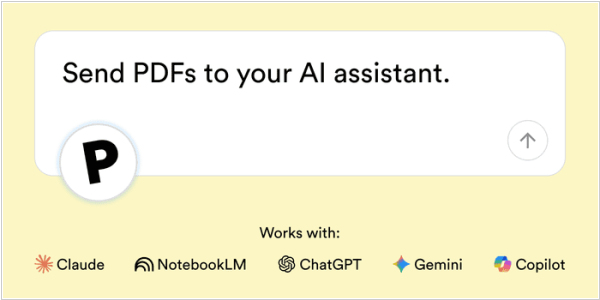
Paperpile, a web app for managing bibliographic references, now lets you send PDF articles to ChatGPT, NotebookLM or any other supported AI assistant. The new feature called Ask AI helps you quickly find a key citation or data point that will lead to the next step in your research. You can add one or more (up to 10) PDFs from your library to Ask AI, select a prompt and initiate a conversation with your preferred AI assistant (ChatGPT, Gemini, Claude or Copilot). Paperpile will send your full-text PDF and the selected prompt to the AI assistant. You can then ask follow-up questions, add additional articles or view citations in the full-text source PDF.
2018. Zotero allows to create citations on Google Docs
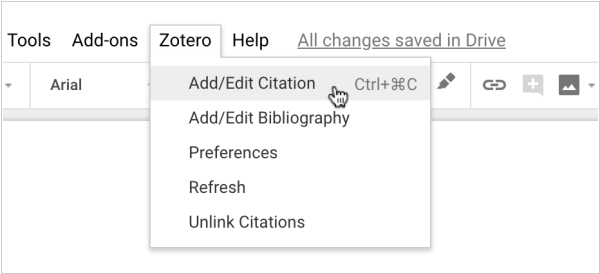
Free Reference Management program Zotero implemented integration with Google Docs (in addition to Microsoft Word and LibreOffice). This integration allows users to search for items in their Zotero library, add page numbers and other details and insert citations into their Google Docs. A formatted bibliography can be inserted with a single click based on the citations in the document. The software supports complex style requirements and name disambiguation and updates citations and bibliographies automatically as changes are made to library items. Additionally, the software can reformat the entire document in any of the over 9,000 citation styles that Zotero supports. The Google Docs support is part of the Zotero Connector for Chrome and Firefox, which adds a new Zotero menu to the Google Docs interface.