2024.
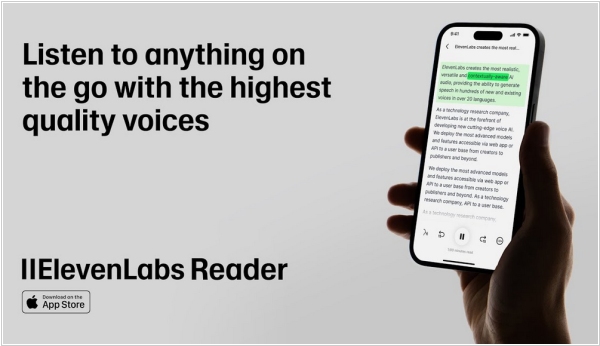
ElevenLab - AI text-to-speech e-reading app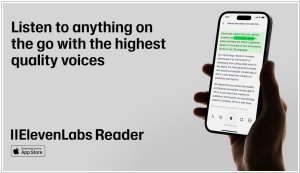 ElevenLabs
 is a new AI text-to-speech e-reading application. It supports 32 distinct languages from around the globe. The primary selling point is its ability to read PDF files, articles, newsletters, EPUB books and most web content aloud. However, it does not read Apple Books or Kindle Books as it doesn’t support DRM. There are numerous narrators available, which distinguishes it from many other reading apps. Users can listen to the voices of Judy Garland, James Dean, Burt Reynolds, or Sir Laurence Olivier. ElevenLabs states that the iconic voices are exclusively accessible through the app and for individual streaming. The app is completely free to download and use. The company mentioned it might explore a path to monetization sometime in the future. Developers plan to add more features to the app, such as offline support, OCR and audio snippet sharing. Therefore, they will support this initiative for a long time.
2024.
Kindle update improves settings adjustment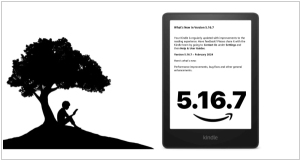
Amazon has released firmware update 5.16.7 for the base Kindle, Paperwhite and Scribe. Its goal is to seamlessly improve performance, fix some bugs and bring the device to a stable state compared to the previous, less-than-stellar version, which radically redesigned the navigation settings menu, Date & Time settings and screenshot making functionality. The company also claims the new firmware can improve battery life.
2023.
Moon+ Reader adds new E INK mode
Moon+ Reader, one of the most popular e-reader apps for Android, has added an E-Ink mode, making it ideal app for Android e-readers from companies like Hisense, Onyx Boox, iReader and others. The main difference from the standard version is the absence of animation - you won't see animated page turns or animations when accessing menus, dialogs, actions or bookshelves. Additionally, the background in this mode is pure white and the text is pure black. If your e-reader has volume buttons, you can assign them to page turn keys. Just like on a phone, the app on the e-Ink tablet can import books from internal memory, SD card or online sources: Project Gutenberg, Dropbox, Whatsapp, Many Books.
2022.
Bionic Reading - reading app that your eyes will love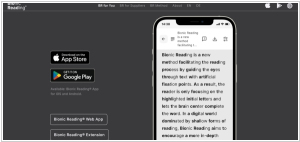 Bionic Reading
 is a mobile application (for iOS and Android) that alters texts by emphasizing the most crucial parts of the words. This technique directs the eye across the text, helping the brain retain and process the words more swiftly. They provide an online tool that allows you to upload a book, which will then automatically transform the standard font into bionic reading format. The apps enable you to upload text, files, or even online articles from a website, which are then automatically converted to a bionic reading format. Users can download the book as an EPUB or PDF to their PC or MAC. The files can be sideloaded to your preferred e-reader using Windows Explorer, Apple File Manager, or third-party tools such as Sigil or Calibre. The app also includes Send to Kindle functionality, allowing you to wirelessly transfer the bionic reading book directly to your Kindle e-reader.
2015.
Google Play Books makes it easier to read at night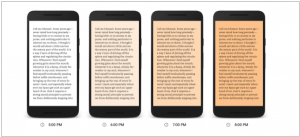
If you’re a night reader on your mobile device, you know it’s difficult to get tired with the bright screen glaring at your eyes. This isn’t an issue with physical books, as you can use a soft light to create a relaxing atmosphere.
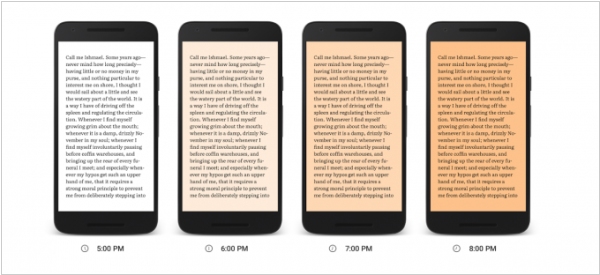
Google Play Books aims to replicate that softer experience with a feature called “Night Light.” As the evening progresses, it gradually filters out the blue light from your screen, replacing it with a warm, amber hue as the sun sets, to make reading more comfortable. Night Light automatically adjusts based on the amount of natural sunlight outside according to the time of day, providing the ideal warmth and brightness. This color adjustment is easier on your eyes and significantly enhances reading in low-light conditions.
2015.
Oyster adds light-adjusting technology for easier e-reading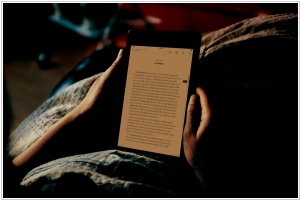
Ebook subscription service
Oyster introduces a new feature to its e-reading platform that adjusts the color and brightness of mobile users’ screens to enhance the e-reading experience. Named Lumin, the software reduces the amount of blue light emitted by LED screens, which some recent studies suggest can be detrimental to readers’ eyes in dim environments and may disrupt sleep patterns. Lumin aims to help Oyster users read at night with less strain by replacing blue light with a gentler, amber light. While backlit e-ink screens are generally considered less harsh than those of smartphones or tablets, Oyster’s technology claims to cut the amount of blue light emitted by both types of devices by at least half.