
Top 5 Calibre Alternatives
February 15, 2026 | Author: Maria Lin

Calibre is advertised as the one stop solution for all your e-book needs. But as one famouse person said "I suppose you could design a car that flies and floats, but I don't think it would do all of those things very well." That's why though Calibre is free, there are a lot of people that are not happy with this software and are looking for alternatives. Not for alternatives that also can fly and float, but for smaller and easier alternatives that can either fly or float and do it better than Calibre. We have picked 5 interesting apps in four categories that can replace Calibre on your desktop.
1. Calibre alternatives for book management
Ebook management includes e-library visulization, parsing and editing ebook metadata, searching and sorting books in the database, managing ebook files, etc. In this category we recommend two programs: Alfa Ebooks Manager for PC and Delicious Library for Mac.

Alfa Ebooks Manager features a lot of templates and options for beautiful library vizualization. Besides, it allows to update book data from multiple web sources (like Amazon, Google Books, Barnes & Nobel, etc). It's also good at file management and metadata extraction. And the main thing, that it's much more easy-to-use than Calibre.
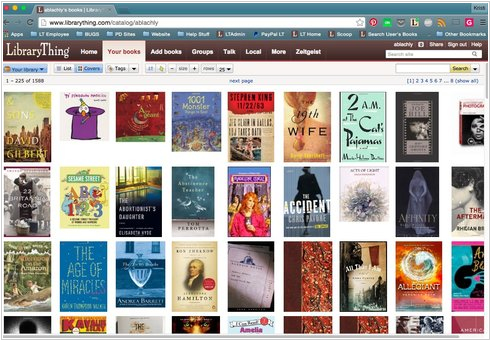
LibraryThing is free online cataloging service. Advantage of the online format is that you can access it from anywhere - even on your mobile phone. Disadvantage - you can't upload book files to the cloud, so you can manage only metadata, not files. But the main point is that LibraryThing is a social library that connects people with the same book preferences and provides smart suggestions for what to read next.
2. Calibre alternatives for ebook conversion
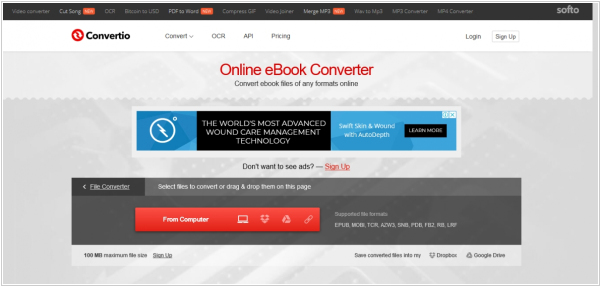
Today, there is a huge number of online services that offer conversion of various book formats (i.e. Convertio). If you occasionally need to convert a book to read it on Kindle or iPhone, these are quite sufficient. They are fast and free. Their quality of converting text-based books is the same as in Calibre (page-based books are a completely different story and Calibre can't convert them well either). But if you convert books so frequently that you need a desktop app, you can install, for example, Any EBook Converter Free. Unlike Calibre, it is much lighter in size and launches much faster.
3. Calibre alternatives for e-reading device management

E-readers that use SD cards to store books or connect to a computer like regular flash drives are easily managed with all universal e-book organizers. But of course, 80% of readers use Kindles and this particular e-reader is a stumbling block. Unfortunately, Amazon recently completely blocked access to book files and collections via USB and now Calibre can only work with older Kindle models or jailbroken ones. A similar app, Kindlian, which is lighter, more convenient and has a more beautiful interface, can also work with older Kindles.
4. Calibre alternatives for ebook reading
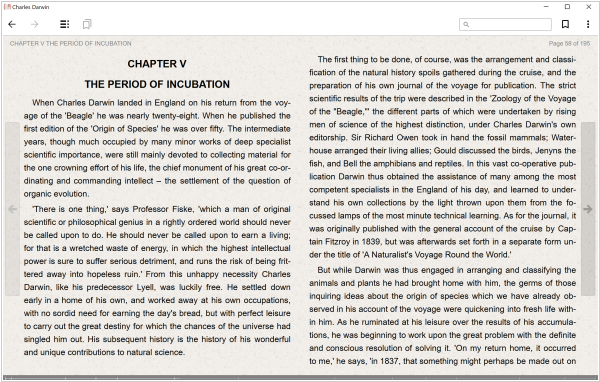
Calibre can open most e-book formats. However, it's more of a tool for opening/viewing books than for reading them. There are many much more convenient desktop e-book readers. Perhaps the best of them is FBReader. It's also compatible with almost all e-book formats (such as ePub, fb2, fb2.zip, mobi, rtf, MS doc, plain text, cbz) and provides more comfortable reading experience. It offers more screen and layout settings, better formatting support, navigation and language support. The program is also completely free and available on all platforms (including mobile apps, with which you can sync your reading progress in the desktop version).



For me the biggest difference between the programs is how they handle files. I didn't like Calibre as a manager because it required the files to be copied into its own folder structure. If I didn't use Calibre to access my files, I could no longer easily navigate my files at all.
I only wanted a program that would link to my files from their current location and let me view them in a nice gui with detailed searchable information about them. This is exactly how Alfa functions.
it's open source , you can ask for features , or develop them
So, if you have a file that won't convert in Calibre, it won't convert in a dozen other products either. Lame, apparently nobody but the Calibre guys knows the formats or something.