Zotero
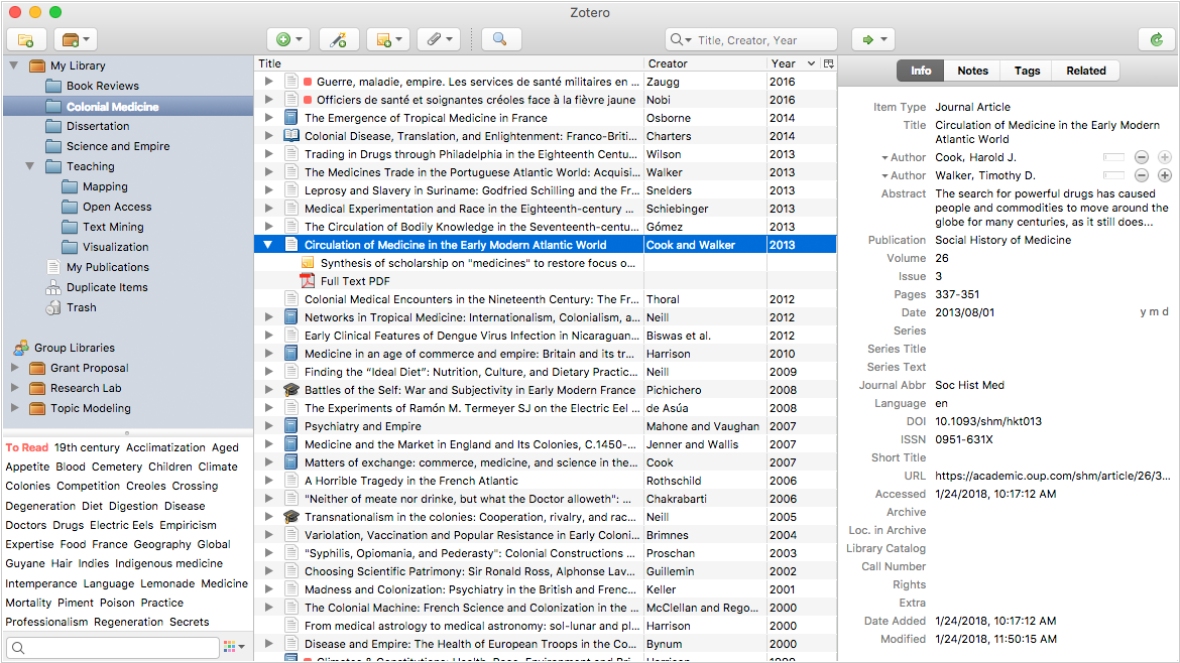
Free, open-source software for managing bibliographic data and research-related materials. Zotero helps to collect, organize, annotate, cite and share research results. The built-in assistant automatically identifies research as you browse the web and creates citations and bibliographies for any text editor, as well as directly in Word, LibreOffice, and Google Docs. You can sort items into collections and tag them with keywords. You can also create saved searches that automatically populate with relevant materials as you work. The program runs on Mac, Windows, Linux, Android, and iOS.
Best Zotero alternatives


Here are the latest news about Zotero:
29.04.26. Zotero gets Read Aloud function
Zotero 9, the new version of the bibliography management software, has been released, introducing Read Aloud, which reads your documents in high-quality, natural-sounding voices. It works with PDFs, EPUBs and even webpage snapshots. While listening, you can move forward or backward through paragraphs or sentences (Option/Alt-click or Option/Alt-left/right) and you can start reading from a specific location by clicking in the left margin or right-clicking and selecting Read Aloud. The Annotate Sentence button will automatically highlight or underline the last sentence you heard and keyboard shortcuts let you quickly move, expand or delete a new annotation. Your last reading position is saved and synced across devices, so you can pick up where you left off on any device.
2022. Zotero 6 adds new Note Editor with annotations
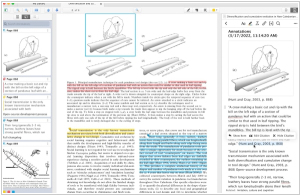
The new version of reference management software Zotero 6 includes built-in PDF reader with a tabbed interface, which allows users to mark up PDFs with highlights, notes and image annotations. Additionally, users can clean up metadata for items while viewing their PDFs and add annotations to Zotero notes with automatic citations using a new, powerful note editor. Users can cite other items directly in their notes using Zotero’s familiar citation dialog and insert notes into Word, LibreOffice and Google Docs documents with active Zotero citations for automatically generating bibliographies. Finally, users can export notes to external Markdown editors with links back to Zotero items and PDFs. These new features make it easier than ever for researchers to manage their references, notes and citations all in one place.
2019. Zotero allows to move citations between Google Docs, Word, and LibreOffice

Zotero, the scientific paper management program, has introduced a new feature that allows users to transfer documents between Google Docs, Word and LibreOffice with maintaining active Zotero links. This means user can begin creating a document in Google Docs and then transfer it to Word or LibreOffice for final editing and vice versa. To use this feature, Zotero converts references and bibliography into a temporary format that ensures secure transfer between word processors. To get started, select "Switch to another word processor..." in the Zotero plugin's document settings window, save the converted file, open it in the other word processor and click Update to continue working. Google Docs users can also select "Switch to another word processor..." from the Zotero menu.
29.04.26. Zotero gets Read Aloud function
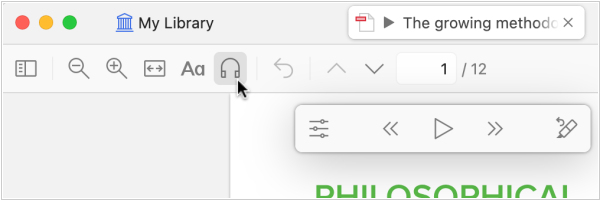
Zotero 9, the new version of the bibliography management software, has been released, introducing Read Aloud, which reads your documents in high-quality, natural-sounding voices. It works with PDFs, EPUBs and even webpage snapshots. While listening, you can move forward or backward through paragraphs or sentences (Option/Alt-click or Option/Alt-left/right) and you can start reading from a specific location by clicking in the left margin or right-clicking and selecting Read Aloud. The Annotate Sentence button will automatically highlight or underline the last sentence you heard and keyboard shortcuts let you quickly move, expand or delete a new annotation. Your last reading position is saved and synced across devices, so you can pick up where you left off on any device.
2022. Zotero 6 adds new Note Editor with annotations

The new version of reference management software Zotero 6 includes built-in PDF reader with a tabbed interface, which allows users to mark up PDFs with highlights, notes and image annotations. Additionally, users can clean up metadata for items while viewing their PDFs and add annotations to Zotero notes with automatic citations using a new, powerful note editor. Users can cite other items directly in their notes using Zotero’s familiar citation dialog and insert notes into Word, LibreOffice and Google Docs documents with active Zotero citations for automatically generating bibliographies. Finally, users can export notes to external Markdown editors with links back to Zotero items and PDFs. These new features make it easier than ever for researchers to manage their references, notes and citations all in one place.
2019. Zotero allows to move citations between Google Docs, Word, and LibreOffice
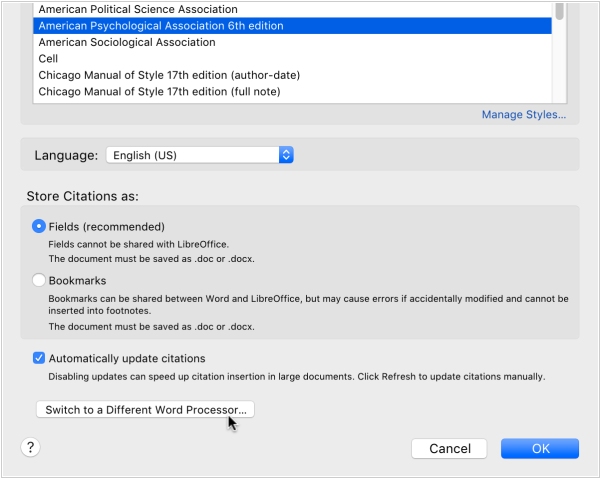
Zotero, the scientific paper management program, has introduced a new feature that allows users to transfer documents between Google Docs, Word and LibreOffice with maintaining active Zotero links. This means user can begin creating a document in Google Docs and then transfer it to Word or LibreOffice for final editing and vice versa. To use this feature, Zotero converts references and bibliography into a temporary format that ensures secure transfer between word processors. To get started, select "Switch to another word processor..." in the Zotero plugin's document settings window, save the converted file, open it in the other word processor and click Update to continue working. Google Docs users can also select "Switch to another word processor..." from the Zotero menu.
Add comment