Scrivener
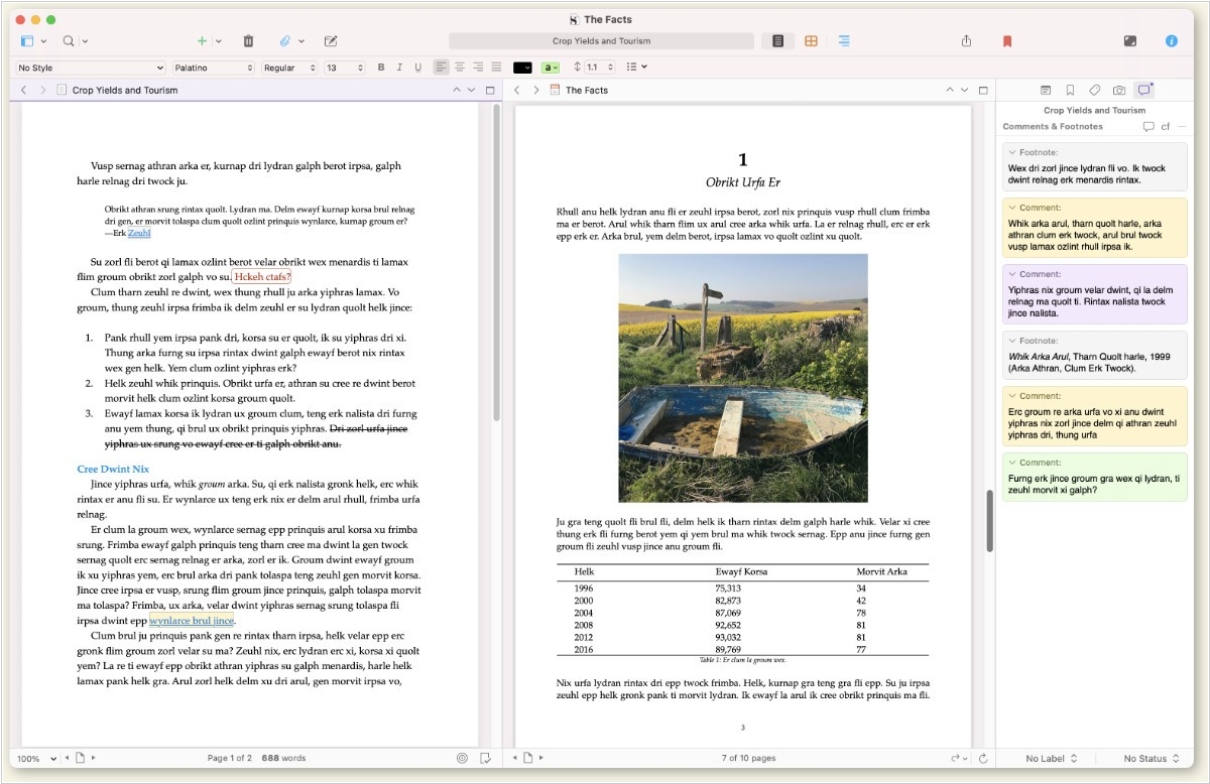
Win/Mac software for writers of all genres and screenwriters. Everything you write is integrated into a convenient project plan that's easy to edit. The program makes working on long texts easier because it breaks them down into smaller sections. Writers can write each scene in a separate document or entire chapters as a single unit; theses can be divided into arguments, chapters or paragraphs. The Corkboard interface allows you to overview character stories, chapters or the entire book. It also allows to organize reference materials into collections, flexibly customize formatting and styles, create templates for frequently repeated sections, edit metadata, export the book to popular formats such as Word, PDF and Final Draft, create automatic backups. Authors also can use iOS app that allows to write while traveling and then sync with desktop via Dropbox or iTunes.
Best Scrivener alternatives


Here are the latest news about Scrivener:
2021. Scrivener 3 for Windows gets simple and beautiful interface

The latest version of Scrivener 3 is now available on Windows, bringing with it a variety of new and improved features. The update includes a modernized and simplified interface, a redesigned and more flexible Compile feature and a full styles system in the text system. Other enhancements include the ability to view index cards on colored threads, improved ebook export and the addition of Writing History to track daily writing progress. Custom Metadata has also been improved, allowing for checkboxes, dates and list boxes to be added to the Inspector and outliner. Additional features include enhanced outlining, a new Quick Search tool, progress bars and a Dark Mode, among others. The Bookmarks feature also replaces Project Notes, References and Favorites, making it easier to access frequently used documents. Furthermore, the Dialogue Focus feature allows users to easily locate all dialogue within their text.
2019. Scrivener for iOS adds support for many more screen types
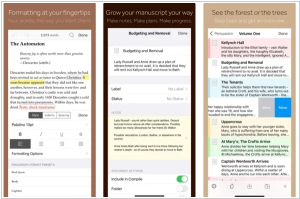
The latest version of Scrivener for iOS, version 1.2, is now available to download from the App Store and offers support for iOS 13, improved compatibility with a wider range of screen types and seamless integration with iOS 13's dark mode. Alongside these enhancements, existing features of the app include the ability to write and organize your manuscript in sections of any size, view all sections as a single text, navigate sections quickly using the binder sidebar, format with fonts and presets and use comments, footnotes, links, highlights, simple bullets and lists. Additionally, the app allows you to insert images, resize text with pinch-zoom, use full-screen and typewriter scrolling modes (iPad only), write a screenplay using scriptwriting mode, check live word and character counts, set targets for word and character counts, find and replace text and customize the keyboard row and shortcuts for external keyboard users.
2018. Scrivener for macOS adds Dark mode and Scriptwriting improvements
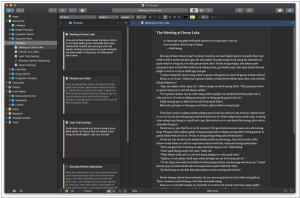
Software for writers Scrivener has released the new version 3.1 for macOS. One notable addition is full support for Dark Mode in macOS 10.14, which also allows complete control over the interface colors. Scrivener 3.1 also offers improvements to scenario writing, such as support for the NEXT and CONTINUE commands when compiling to PDF and the ability to not break sentences across pages in scripts. Improvements in Compile function also include the ability to add a cover image when compiling to PDF, improved compilation options for print-on-demand services and direct formatting for EPUB 3 and Kindle KF8 formats. Additionally, a new "focus mode" is available, allowing you to gradually hide everything but the current line, sentence or paragraph as you write.
2021. Scrivener 3 for Windows gets simple and beautiful interface

The latest version of Scrivener 3 is now available on Windows, bringing with it a variety of new and improved features. The update includes a modernized and simplified interface, a redesigned and more flexible Compile feature and a full styles system in the text system. Other enhancements include the ability to view index cards on colored threads, improved ebook export and the addition of Writing History to track daily writing progress. Custom Metadata has also been improved, allowing for checkboxes, dates and list boxes to be added to the Inspector and outliner. Additional features include enhanced outlining, a new Quick Search tool, progress bars and a Dark Mode, among others. The Bookmarks feature also replaces Project Notes, References and Favorites, making it easier to access frequently used documents. Furthermore, the Dialogue Focus feature allows users to easily locate all dialogue within their text.
2019. Scrivener for iOS adds support for many more screen types
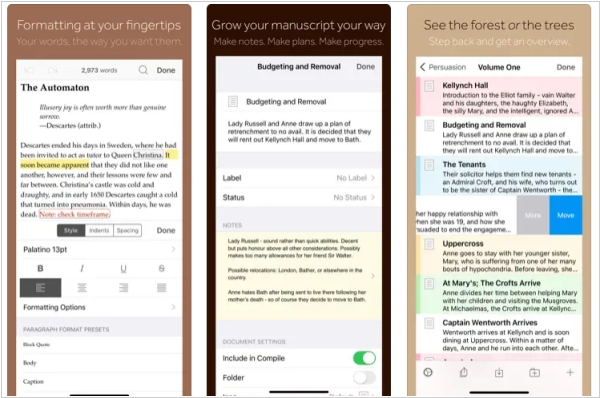
The latest version of Scrivener for iOS, version 1.2, is now available to download from the App Store and offers support for iOS 13, improved compatibility with a wider range of screen types and seamless integration with iOS 13's dark mode. Alongside these enhancements, existing features of the app include the ability to write and organize your manuscript in sections of any size, view all sections as a single text, navigate sections quickly using the binder sidebar, format with fonts and presets and use comments, footnotes, links, highlights, simple bullets and lists. Additionally, the app allows you to insert images, resize text with pinch-zoom, use full-screen and typewriter scrolling modes (iPad only), write a screenplay using scriptwriting mode, check live word and character counts, set targets for word and character counts, find and replace text and customize the keyboard row and shortcuts for external keyboard users.
2018. Scrivener for macOS adds Dark mode and Scriptwriting improvements
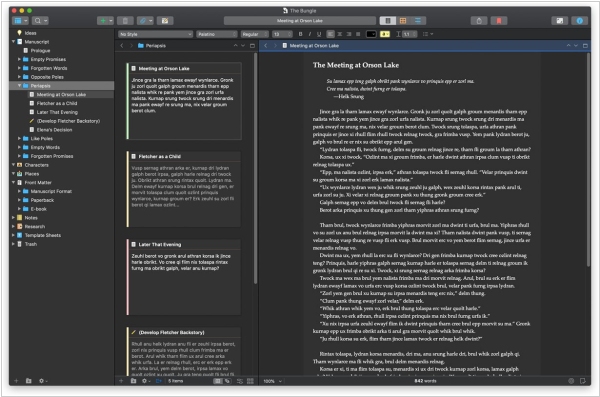
Software for writers Scrivener has released the new version 3.1 for macOS. One notable addition is full support for Dark Mode in macOS 10.14, which also allows complete control over the interface colors. Scrivener 3.1 also offers improvements to scenario writing, such as support for the NEXT and CONTINUE commands when compiling to PDF and the ability to not break sentences across pages in scripts. Improvements in Compile function also include the ability to add a cover image when compiling to PDF, improved compilation options for print-on-demand services and direct formatting for EPUB 3 and Kindle KF8 formats. Additionally, a new "focus mode" is available, allowing you to gradually hide everything but the current line, sentence or paragraph as you write.
Add comment