
Scrivener vs Squibler
May 06, 2026 | Author: Laura Candler
64

Win/Mac software for writers of all genres and screenwriters. Everything you write is integrated into a convenient project plan that's easy to edit. The program makes working on long texts easier because it breaks them down into smaller sections. Writers can write each scene in a separate document or entire chapters as a single unit; theses can be divided into arguments, chapters or paragraphs. The Corkboard interface allows you to overview character stories, chapters or the entire book. It also allows to organize reference materials into collections, flexibly customize formatting and styles, create templates for frequently repeated sections, edit metadata, export the book to popular formats such as Word, PDF and Final Draft, create automatic backups. Authors also can use iOS app that allows to write while traveling and then sync with desktop via Dropbox or iTunes.
17

The only writing platform with unlimited potential through project management, collaboration, and publishing.
Scrivener vs Squibler in our news:
2019. Scrivener for iOS adds support for many more screen types
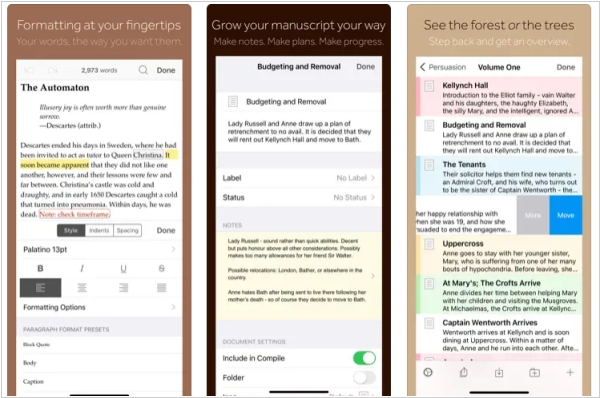
The latest version of Scrivener for iOS, version 1.2, is now available to download from the App Store and offers support for iOS 13, improved compatibility with a wider range of screen types and seamless integration with iOS 13's dark mode. Alongside these enhancements, existing features of the app include the ability to write and organize your manuscript in sections of any size, view all sections as a single text, navigate sections quickly using the binder sidebar, format with fonts and presets and use comments, footnotes, links, highlights, simple bullets and lists. Additionally, the app allows you to insert images, resize text with pinch-zoom, use full-screen and typewriter scrolling modes (iPad only), write a screenplay using scriptwriting mode, check live word and character counts, set targets for word and character counts, find and replace text and customize the keyboard row and shortcuts for external keyboard users.

