Top 3 MOBI Readers for Mac
Updated: March 12, 2026 | Editor: Maria Lin
MOBI Readers for Mac allow to open and read MOBI books on Mac OSX desktops and laptops
1


Free e-book reader that supports multiple file formats, including ePub, fb2, mobi, HTML, RTF, HTML, plain text, doc, and more. FBReader uses its own page parsing and rendering engine - very lightweight, fast and customizable. It supports embedded images, footnotes, hyperlinks, text search, full-screen reading. It also automatically creates bookmarks so you don't lose track of where you left off after closing a book. It works on iOS, Android, Windows, Mac OS, Linux, and Chrome OS. Books can be synced across devices or stored in Google Drive. For Android and iOS there are both free and paid versions. Free versions have some limitations.
2
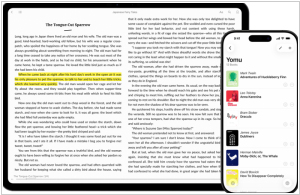
Free eBook reader app for iOS and Mac. Yomu's design is carefully optimized in Apple style: flexible layout dynamically adjusts all text properties and margins based on your preferences and device. You can choose your favorite theme, reading mode (day, sepia, gray, twilight, night, black), select a preset or custom font size, content layout (page, scrolling), and many other options. All settings can be saved separately for each book. You can view the TOC, copy text, take notes, and search within books. EPub, Mobi, PDF, and Kindle formats are supported. You can download books directly from the browser, add them via AirDrop, iCloud Drive, iTunes File Sharing, or from Dropbox, Google Drive, OneDrive, OPDS, and Calibre.
3

Okular is a universal book viewer based on KPDF for KDE 4. This means Okular works on multiple platforms, including but not limited to Linux, Windows, Mac OS X, *BSD, etc. Okular combines the excellent functionalities of KPDF with the versatility of supporting different kind of documents, like PDF, Postscript, DjVu, CHM, XPS, ePub and others.