Top 7 software for Knowledge workers (researchers, scientists, developers)
July 29, 2025 | Author: Laura Candler

Knowledge workers collect, analyze and process information to create new knowledge or insights. They work in a variety of industries, including technology, finance, healthcare and education. Every day they need to think critically, solve complex problems and innovate in their fields. But they have the same brain as other people and the brain has limitations in processing and storing information. To enhance the intelligence, you can use knowledge management software, that allows to automate data storage and organization and save mental resources for more important tasks. Here are our top of such useful apps.
Instapaper for news reading
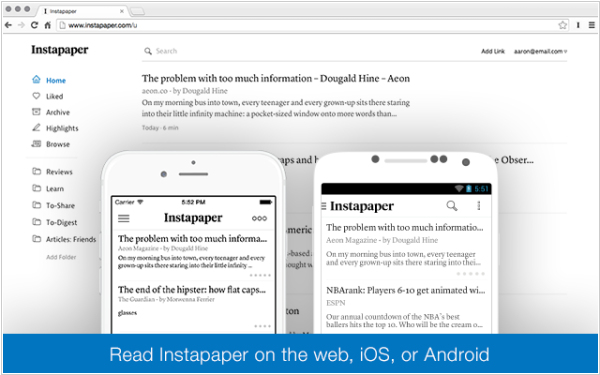
We live in a fast-paced world and it is vital for knowledge professionals to stay up-to-date with the latest developments in their field. One effective way to do this is to follow news feeds on websites and social media platforms. However, monitoring the news headlines and reading them trying to understand the new information should be separated. Otherwise, you will be rushing, reading without interest and getting little benefit from the content. This is where Instapaper comes in handy. This service allows you to save articles and read them later, at your convenience, on any device. Set aside time for reading fresh materials and read one article per day.
Mendeley for article management
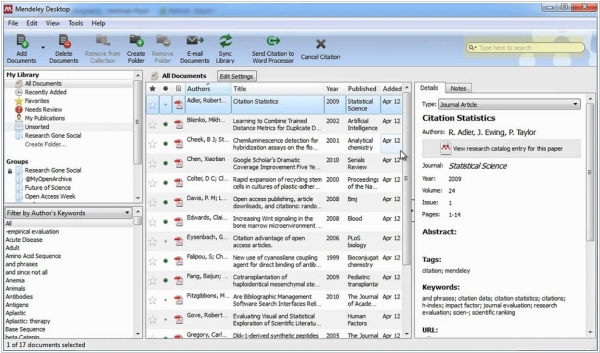
Scientific articles and white-papers serve as a vital source of information for scientists, researchers and engineers. Organizing these articles and finding them quickly is essential when writing new science content because your need refer to sources. Mendeley is the most popular software for managing scientific articles. It allows users to add notes and easily search articles by keywords or DOI. Mendeley also simplifies the citation process by automatically generating references in various formats, saving your time.
Alfa for book management
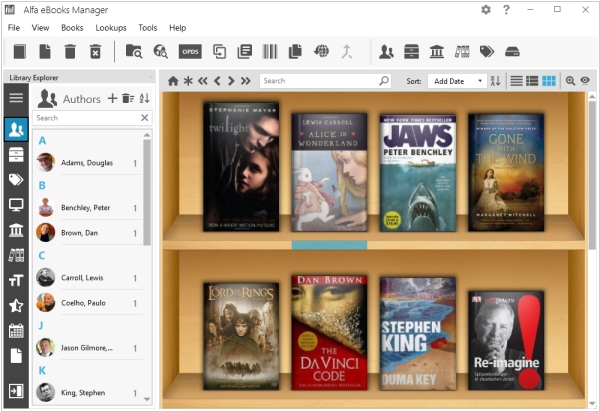
Books are the third (after news and research papers) source of information for knowledge workers. However, managing a large collection of books can be a difficult task. Alfa Ebooks Manager allows to manage books the same way as Mendeley organizes articles. With Alfa, you can easily find needed book, open and read books, add notes, display books by topic or author. Unlike its main competitor Calibre, Alfa Ebooks Manager offers a visually beautiful interface that inspires users to create beautiful content and new ideas.
Google Keep for idea capturing
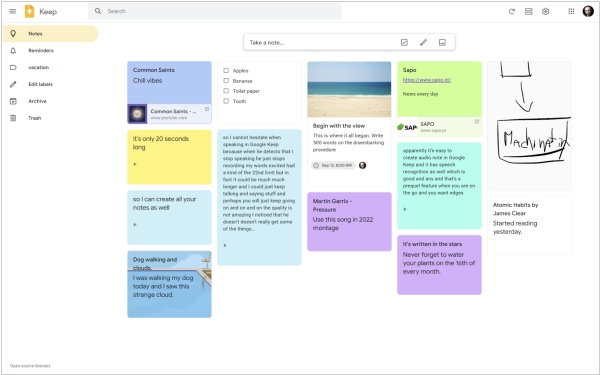
Once you’ve filled your brain with information from news, articles and books, you’re ready to generate ideas on your own. The key to good idea management app is always being on hand, so that you could quickly capture your idea — on your mobile phone, computer or web browser. Google Keep is good enough for this task. It’s simpler than other similar note-taking apps (like Evernote or Notion) and allows you to create categories and tag notes. Built-in search lets you quickly find the idea you need and the app’s minimalist design makes it easy to use.
Notepad for lingual thinking
To think effectively, you need to fix your thoughts so that you can generate new ones based on something stable. Language is one of the most commonly used tools for this process. However, a language-based thinking tool should be simple, allowing you to focus on your thoughts rather than on grammar or interface features. Even tools like Google Keep can be distracting for some users. That’s why a notepad remains an ideal tool for this purpose. It’s a simple yet effective way to record your thoughts, whether you’re brainstorming or creating a project plan.
Paint for visual thinking
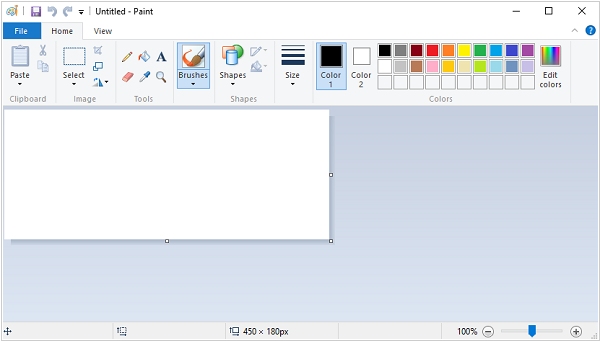
While language is an effective tool for thinking, it's not always the best approach. In some cases, visual thinking is more effective, allowing you to fix your thoughts and ideas in a more intuitive way. And the sane as with verbal thinking, here you need the simplest tool - such as Paint in Windows. It offers basic drawing functions, allowing you to visualize your thoughts and does not constrain your thinking. For more complex diagrams and flow charts, you may need a more formal visual editor, such as Diagrams.net. However, in most cases, Paint provides better simplicity and flexibility.
Scrivener for knowledge management
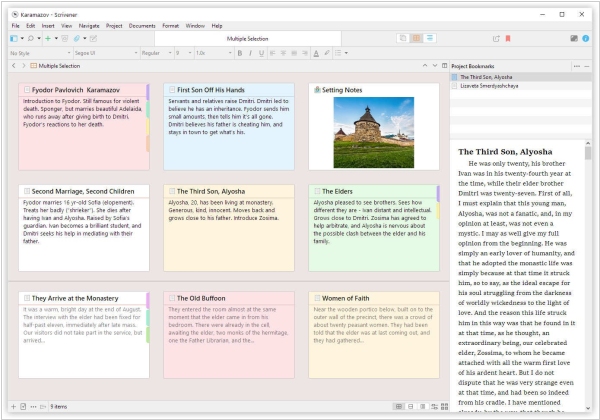
Knowledge management tool should organize, visualize and search all the linguistic and visual thoughts you create. The bad news is that (for now) there is no suitable software on the market for this. The best tool I have found so far is Scrivener. It is actually a program for book writers, but it resembles what a knowledge organizer should look like. Scrivener offers a number of features for manipulating knowledge blocks and can be customized to suit individual needs. However, some users may find regular Windows folders with text files and images - more suitable.
See also: Top 5 Article Management software

Add comment