
Kindle
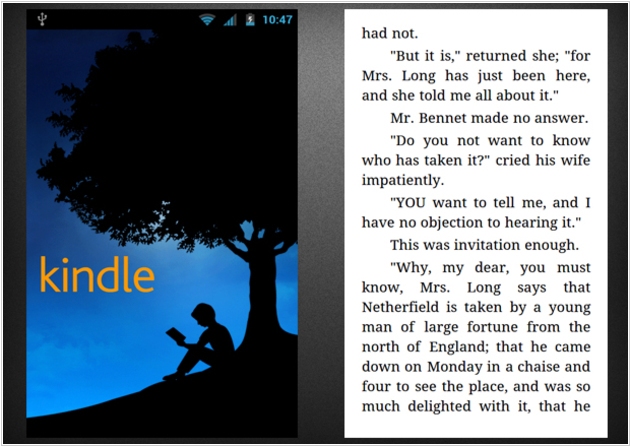
Amazon Kindle enable users to shop for, download, browse, and read e-books, newspapers, magazines. It provides over 1 million books in the Kindle Store. Amazon Whispersync automatically syncs your last page read, bookmarks, notes, and highlights across devices (including Kindle), so you can pick up your book where you left off on another device. Provides apps for Android, iOS, Blackberry, Windows Phone, Mac, PC and the family of ereading devices
Best Kindle alternatives


Here are the latest news about Kindle:
07.06.26. Amazon replaces Kindle for Windows
Last month, Amazon announced it would be ending support for the Kindle desktop app on June 30, 2026. After that date, the app will no longer function and users will be unable to read their ebooks or other digital content. However, it turns out the company has decided to simply replace Kindle for Windows, likely to eliminate the ability to export books from it. The new Kindle app for Windows 11 is now available for download from the Microsoft Store. It allows you to read not only ebooks but also comics and manga (it is fully compatible with Comixology's Guided View system). Users can also upload their own books to the app and read them. All your progress will be saved in Kindle app for Android, iOS and Kindle e-readers. It is also compatible with audiobooks purchased from Audible or Amazon.
2026. Amazon to discontinue Kindle for PC
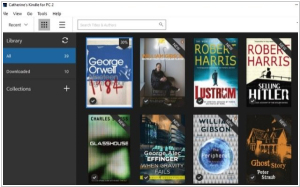
Amazon will officially discontinue support for the current Kindle desktop app on June 30th, but will release a "new and improved" Kindle app for Windows 11 later this month, available in the Microsoft Store. This will allow you to still access your Kindle library from Windows computers. For most users, this will be a minor inconvenience, requiring the installation and setup of a different app. If you still have unsaved Kindle ebooks, now is the time to do so before Kindle desktop app is discontinued. The new version will likely include security improvements that will block existing DRM removal methods.
2026. Send to Kindle disappeared from Microsoft Word

Microsoft will remove the ability to send documents directly from Microsoft Word to Kindle devices after February 9, 2026. This feature was introduced less than three years ago and was heavily advertised by Amazon, but now Microsoft has decided to discontinue it, likely because it is rarely used. Now, Microsoft Word users will have to revert to sending Word documents to Kindle the old way—via the Amazon website, the Send to Kindle app or email.
07.06.26. Amazon replaces Kindle for Windows
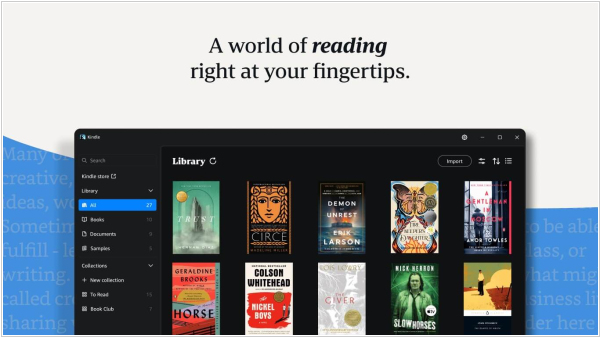
Last month, Amazon announced it would be ending support for the Kindle desktop app on June 30, 2026. After that date, the app will no longer function and users will be unable to read their ebooks or other digital content. However, it turns out the company has decided to simply replace Kindle for Windows, likely to eliminate the ability to export books from it. The new Kindle app for Windows 11 is now available for download from the Microsoft Store. It allows you to read not only ebooks but also comics and manga (it is fully compatible with Comixology's Guided View system). Users can also upload their own books to the app and read them. All your progress will be saved in Kindle app for Android, iOS and Kindle e-readers. It is also compatible with audiobooks purchased from Audible or Amazon.
2026. Amazon to discontinue Kindle for PC
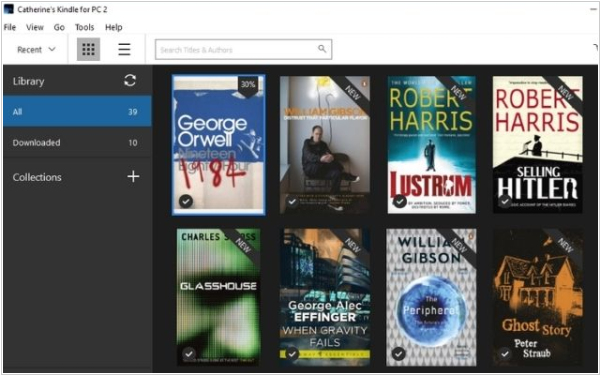
Amazon will officially discontinue support for the current Kindle desktop app on June 30th, but will release a "new and improved" Kindle app for Windows 11 later this month, available in the Microsoft Store. This will allow you to still access your Kindle library from Windows computers. For most users, this will be a minor inconvenience, requiring the installation and setup of a different app. If you still have unsaved Kindle ebooks, now is the time to do so before Kindle desktop app is discontinued. The new version will likely include security improvements that will block existing DRM removal methods.
2026. Send to Kindle disappeared from Microsoft Word

Microsoft will remove the ability to send documents directly from Microsoft Word to Kindle devices after February 9, 2026. This feature was introduced less than three years ago and was heavily advertised by Amazon, but now Microsoft has decided to discontinue it, likely because it is rarely used. Now, Microsoft Word users will have to revert to sending Word documents to Kindle the old way—via the Amazon website, the Send to Kindle app or email.
Add comment
