Kobo Elipsa vs Kobo Libra Colour
December 08, 2025
15

Kobo Elipsa provides intuitive note-taking experience and an expansive 10.3” touchscreen. Use the Kobo Stylus to make notes in eBooks and PDFs. Plus, you can create your own notebooks, where you can instantly convert your notes to clean typed text, and export them off your device as needed. When you want to listen to a story, enjoy Kobo Audiobooks with Bluetooth wireless technology. And when you're ready for a break, simply close the SleepCover to protect Kobo Elipsa and put it to sleep. Kobo Elipsa is your book, notebook, and bookstore combined, bundled with everything you need to make your ideas a reality.
16
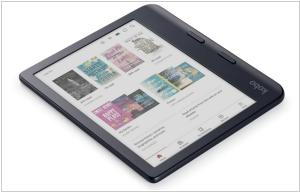
Kobo Libra Color features a 7-inch E Ink Kaleido 3 color display with an anti-glare coating. It beautifully displays book covers, comics, graphic novels, illustrations and notes. At night the ComfortLight PRO feature automatically reduces blue light levels. The device has an ergonomic, water-proof case with page-turn buttons. The screen can be used in landscape orientation. The e-reader is compatible with the Kobo Stylus 2 stylus (sold separately) and allows you to make colored notes on the surface of books. The device can be also used as a journal or daily planner. Notebooks are synced via the Kobo cloud, Dropbox, or Google Drive.
Kobo Elipsa vs Kobo Libra Colour in our news:
2023. Kobo Elipsa 2e adds some useful PDF features
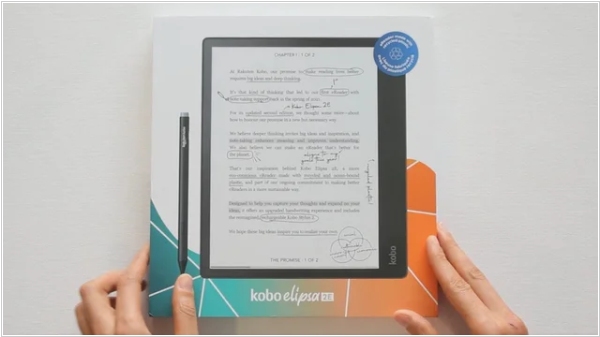
Kobo has released a firmware update for Kobo Elipsa 2e that improves the PDF experience. When closing a PDF, zoom level and screen position are now remembered so when you open it next time, you start from the same view. This is very important because Elipsa is primarily designed for reading, editing and annotating PDFs. The shopping experience has also been improved. Kobo store now loads faster and search can be initiated easier. More languages are now supported. New fonts are automatically applied when opening a book in certain languages.