Kobo Aura vs Nook GlowLight
April 11, 2026
17

(Discontinued) premium 6-inch e-reader with ClarityScreen technology and high-quality, frameless, low-glare display featuring E Ink Pearl technology that provides paper-like reading experience, even in direct sunlight. ComfortLight technology provides adjustable illumination for reading in the dark. Because ComfortLight illuminates the page rather than shining light directly into your eyes, you'll experience a truly comfortable reading experience. This e-reader also features pinch-to-zoom functionality, allowing you to see every detail when enlarging PDFs and individual books. You can also change the font size with a simple swipe of your finger. The body is designed to fit in hand like a hardcover book.
11

Nook Glowlight is B&N's flagship model. It's a basic 6" reader with 300-dpi touchscreen with built-in glare- scratch- and fingerprint-resistant lens provides a paper-like reading experience. As the name says, it features GlowLight illumination, powerful enough to read in bed or in the bright light of the sun. You can manually adjust the warmth of the light or set it to mimic the natural progression of the sun automatically. The device has a comfortable design. Soft-touch finish makes it easy to grip and comfortable to hold. It’s can work for weeks on a single charge and syncs with NOOK Reading App for iPhone and Android, so you can pick up a book right where you left off. The digital discovery feature (B&N Readouts) serves up a daily selection of free book excerpts, magazine articles, curated blogs, and more.
Kobo Aura vs Nook GlowLight in our news:
2021. Kobo e-readers get new My Words feature
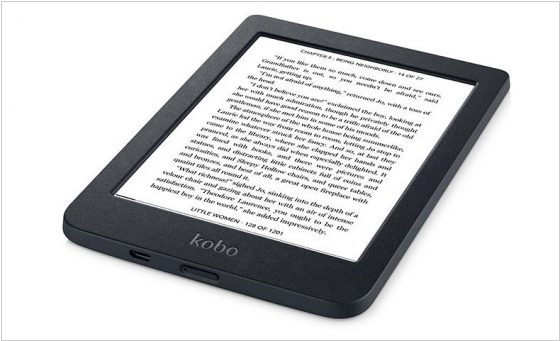
Kobo has launched a new firmware update (4.26) for its range of Kobo e-readers. This update introduces a new "My Words" option, which can be activated from the list of Beta Features. It's similar to Kindle’s vocabulary builder feature, which tracks the words you look up in the dictionary for easy review later. Other new features include a “Back to page x” button for EPUBs, enhanced annotation synchronization and improved PDF viewing in landscape mode. Additionally, tapping the text field within the note preview window now allows for editing.