Kindle Paperwhite vs Kobo Glo
April 08, 2026 | Author: Dhaval Parekh
46

Kindle Paperwhite remains the best choice for most readers thanks to its excellent price-performance ratio. It features a crisp 7-inch display with a 300 ppi resolution and adjustable warm backlighting, on which text appears sharp and perfectly rendered, almost like ink on paper. The fast processor ensures smooth page turns and more fluid navigation, even when reading large PDFs and illustrated novels. The battery life lasts up to 12 weeks. Its thin case with IPX8 water resistance and light weight make it convenient for travel and commuting. Kindle Paperwhite is available in both Wi-Fi and cellular versions.
13

The Kobo Glo is discontinued e-reader that was the first to feature ComfortLight technology, which softly and smoothly illuminates the screen, allowing you to read e-books at any time of day (previously, only models without backlighting were available). It features a 6-inch XGA Pearl E Ink touchscreen with a 1024x768 resolution, a legacy Micro USB port, and 2 GB of memory (but does have a Micro SD card slot). Its main advantage over modern e-readers is its battery life of over a month with Wi-Fi turned off. The e-reader comes with colorful, signature Kobo softcovers. The e-reader supports the "Reader's Life" feature that allows to track reading statistics and share your reading, favorite passages, and "Reader's Life" awards on Facebook and Twitter.
Kindle Paperwhite vs Kobo Glo in our news:
2025. Kindle's firmware updates bring TTS to all users
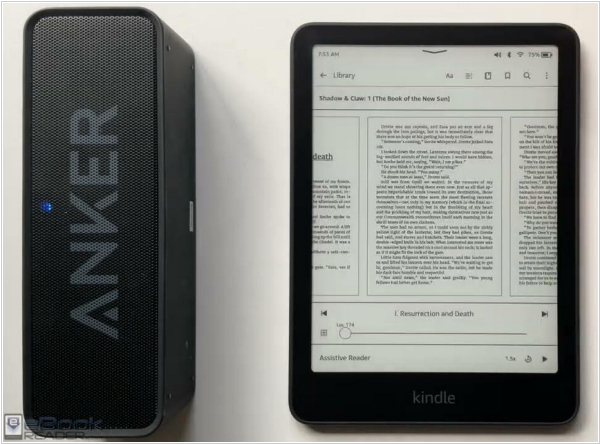
Amazon has released firmware 5.18.5 for the 11th and 12th generation Kindle, as well as Kindle Scribe and Kindle Colorsoft. It adds Kindle Assistive Reader (now available worldwide) - TTS system that uses natural voice to read books aloud. Kindle doesn't have speakers, but it does have Bluetooth. You can easily connect wireless headphones or earbuds for listening. You can also now change the font size in Kindle user interface (under the "Screen & Brightness" menu in Settings) and there's a new line spacing option: you can now adjust the spacing between paragraphs, words and characters (in addition to lines) under the "Font" tab in the Reading Settings menu ("Aa").