Kindle Paperwhite vs Kindle Scribe
May 09, 2026 | Author: Dhaval Parekh
46

Kindle Paperwhite remains the best choice for most readers thanks to its excellent price-performance ratio. It features a crisp 7-inch display with a 300 ppi resolution and adjustable warm backlighting, on which text appears sharp and perfectly rendered, almost like ink on paper. The fast processor ensures smooth page turns and more fluid navigation, even when reading large PDFs and illustrated novels. The battery life lasts up to 12 weeks. Its thin case with IPX8 water resistance and light weight make it convenient for travel and commuting. Kindle Paperwhite is available in both Wi-Fi and cellular versions.
13

Kindle Scribe is the first Kindle for reading and writing, with a 10.2” 300 ppi Paperwhite display, includes Basic Pen. Take notes within millions of titles in the Kindle Store – Handwrite thoughts on sticky notes in your favorite book with the included Basic Pen. Notes are automatically organized by book in one place, so you can browse, review, and export them via email.
Kindle Paperwhite vs Kindle Scribe in our news:
2025. Kindle Scribe adds multilingual handwriting recognition
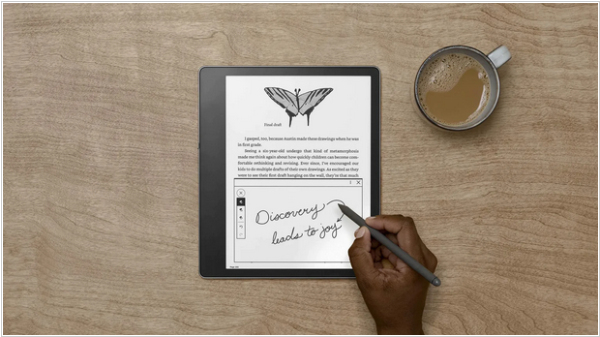
Kindle Scribe (of both first and second generation) received new firmware update 15.8.4, which added multilingual handwriting recognition. Now each notebook can use a different language to digitalize text. To select your preferred language just open a notebook, go to the notebook settings and select a handwriting recognition language. In addition to this, various performance improvements, bug fixes and other general improvements have also been made.
2024. Kindle Scribe adds new annotation features
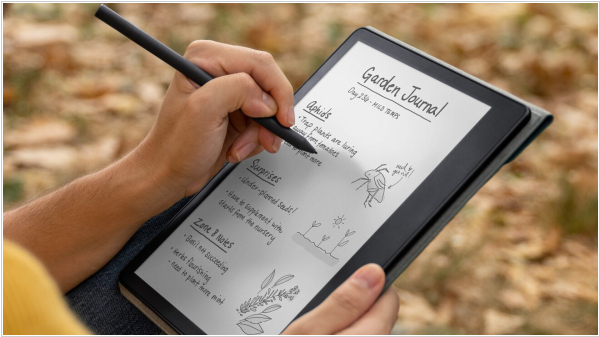
Amazon has released software update 5.17.2 for the first Kindle Scribe, which includes the ability to add notes directly in e-book texts. You can write notes anywhere on the page and the text automatically shifts to flow around your note. The sticky notes feature, which allows you to add notes outside the page, is also still present. If you don't want to write directly on top of the text, you can also use the writing toolbar to add a blank area (which Amazon calls Canvas) for writing notes between sections of text. Another new feature allows to convert hand-selected text into neat, straightened highlights. And you can now select whether to use underlining of highlighting. The Notebook app also now has an AI tool that can summarize your notes.
2023. Kindle Paperwhite gets new Kindle Scribe features
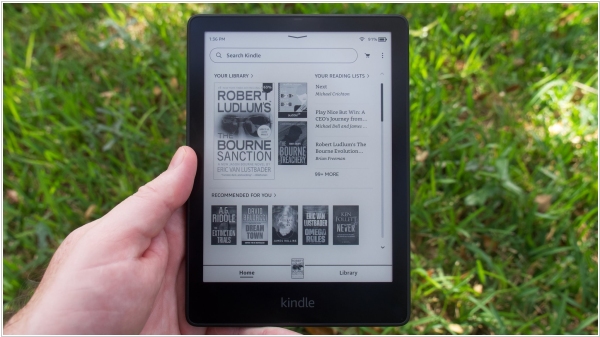
Amazon has released a new firmware update 5.16.2.1 for Kindle 7th generation, Kindle Paperwhite 11th generation and Signature edition. The update includes various Kindle Scribe features, such as drawing, notebooks and stickers. However, these features are disabled. Why did Amazon include almost all of Scribe's unique features in Kindle Paperwhite? This was done so that Amazon wouldn't have to maintain separate codebases for the Paperwhite and Kindle Scribe. Now, by releasing an update for one model, they can update them all at once. Since its release, the Scribe has received 3-4 updates designed to stabilize existing features, fix bugs and introduce improvements. During this time, no other Kindle has received an update.
2023. Kindle Scribe can now convert handwritten notes to text
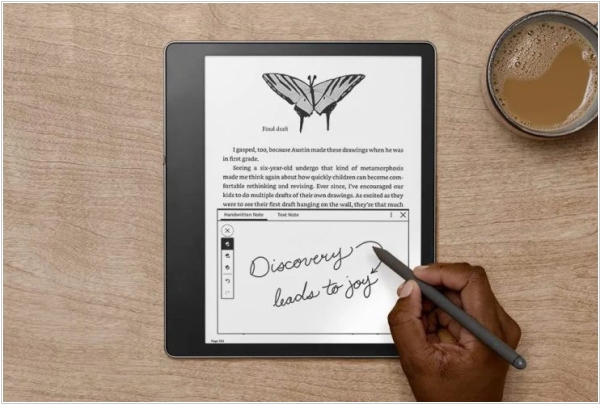
Kindle Scribe has received a firmware update and one of the notable features in this update is the ability to convert handwritten notes to text when exporting them. This allows users to share their notes with friends in normal TXT format. The Share menu now includes two new options “Convert to text and quickly send” and “Convert to text and send via email.” With the latter option users can preview and make changes to the converted text before sending. In addition, the new firmware introduces a lasso selection tool that can be used on notes and PDFs (uploaded to Kindle library via the Send to Kindle feature). Besides, the wider selection of books and publications that support handwriting on the page was added.