Kindle Oasis vs Kindle Scribe
May 09, 2026 | Author: Dhaval Parekh
26

This premium 7-inch Kindle features an ergonomic design with dedicated buttons for page turning. It offers a long battery life of up to 6 weeks. Removable cover is available in black, burgundy, or walnut. The high-resolution 300 ppi display offers crisp, laser-quality text and reads like real paper without glare, even in direct sunlight. Adjustable warm backlighting allows you to change the screen tone from white to amber. IPX8 water resistance. Page orientation automatically changes when you rotate the screen. The VoiceView screen reader, accessible via Bluetooth, provides voice feedback, allowing you to control the device and read books using text-to-speech.
13

Kindle Scribe is the first Kindle for reading and writing, with a 10.2” 300 ppi Paperwhite display, includes Basic Pen. Take notes within millions of titles in the Kindle Store – Handwrite thoughts on sticky notes in your favorite book with the included Basic Pen. Notes are automatically organized by book in one place, so you can browse, review, and export them via email.
Kindle Oasis vs Kindle Scribe in our news:
2026. Kindle Scribe adds new smart shapes
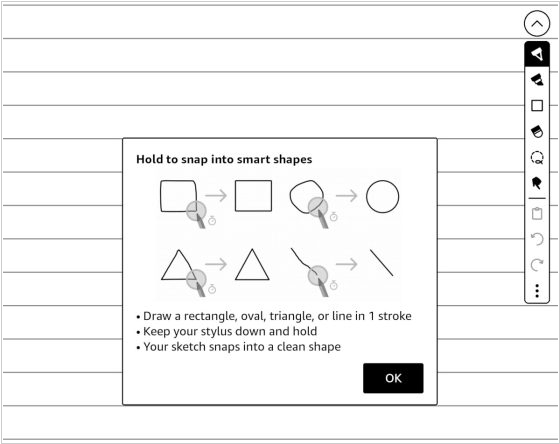
The latest update of Kindle Scribe firmware added a new "smart shapes" feature that lets you draw shapes in notebooks. You can add squares, circles, triangles, straight lines and arrows to notebooks and the program can automatically create perfect shapes from rough hand-drawn sketches if you hold the pen down for a second after drawing them. You can resize and rotate shapes, as well as copy and paste them anywhere. Five different line thickness settings are available and you can make them even thicker using a highlighter or marker. Smart shapes are only available in notebooks; they are not available when adding notes to PDFs or eBooks.
2025. Kindle Scribe adds side panel writing
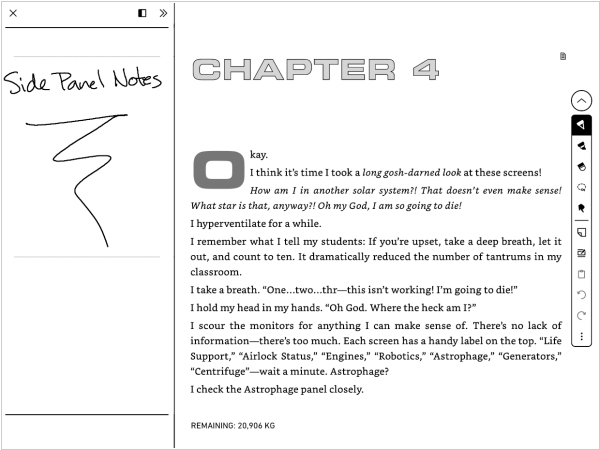
Amazon has released software update 5.17.3 for the 2022 and 2024 Kindle Scribe. This update introduces a new way to scribble notes in ebooks and Word documents, which is great and an ever-present, immovable icon on the screen, which is... less great. The note-taking feature itself is rather clever—you can summon a panel that politely overlaps your book’s text or forces the words to rearrange themselves like panicked commuters making room for an oversized suitcase. This panel can be resized with the kind of flexibility one expects from a budget airline seat: two options in portrait mode, three in landscape. However, the real pièce de résistance is the icon that calls forth this panel. It’s always there, lurking in the margin like an uninvited dinner guest who refuses to take a hint. You can shift it from left to right, but no amount of logical reasoning, button-pressing or whispered pleas will make it disappear entirely. It is, in every sense, the literary equivalent of a pebble in your shoe—except you can’t take the shoe off.
2023. Kindle Scribe's notebook gets web-interface
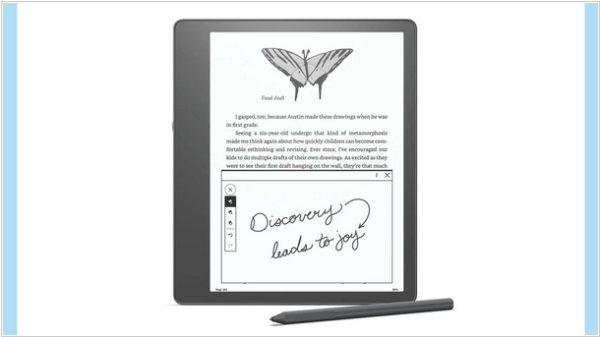
Amazon has introduced a new feature that allows you to access your Kindle Scribe's notebooks on the web. Now, all your notebooks automatically appear in your Amazon's online account when you sync Kindle Scribe. You can view all your folders, subfolders and notes added to them. In the upper right corner there is a sync button to refresh the page and a switch between list and grid view. It is worth noting that the newest notebooks are added to the bottom of the list, unlike in Scribe, where they appear at the top (sorting option may be added in the future). However, on the web page, you can only view your notes and cannot edit or reorganize them. It is not possible to right-click and download them as images. Although you can save them as an HTML file or PDF, this is not entirely convenient.