Calibre vs ePUBee
November 26, 2025
62

Calibre is a free, open-source program (written in Python) for managing e-book libraries on Windows, Mac and Linux. It offers the most rich set of features, divided into the following main categories: library management, e-book conversion, synchronization with e-readers, downloading news from the internet and converting them to e-book formats, e-book viewer-reader, e-book editor and a content server for web access to your book collection. The program reorganizes book files into own structure. There are numerous plugins developed for the program by the community. However, many find the interface cluttered and unwieldy.
2

Professional eBook Converter helps you reading any ebooks on Kindle, iPad, Sony eReader, Kobo, Nook, nexus 7, and other devices! Get ePUB, PDF, Mobi as you love! Convert eBook to PDF, MOBI, EPUB TXT, Batch conversion with high quality.
Calibre vs ePUBee in our news:
2010. Personal library software Calibre improved mobile device support
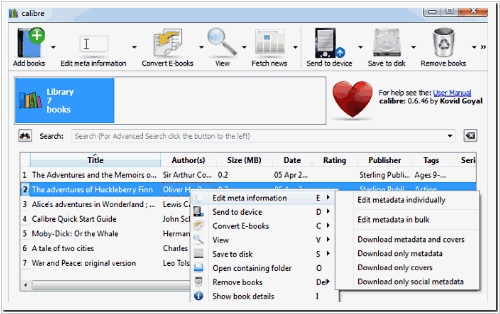
Kovid Goyal has released a new version of his library organizer Calibre 0.7. It includes enhancements to the user interface and performance, along with improved integration with device drivers. When connecting to devices, Calibre now stores the metadata it retrieves from the files on the device. This means that on subsequent connections, Calibre will quickly build the list of books on the device. If you prefer to maintain large collections of books on your device, you will find this feature invaluable. An experimental driver for the iPad enables you to connect the iPad to your computer with Calibre running. The driver operates by utilizing iTunes in the background, so you will also need to have iTunes installed and your iPad configured within it. The conversion engine now supports Unicode characters in RTF input documents and automatically converts ligatures for PDF input documents. The e-book viewer now features built-in dictionary lookup. You can now effortlessly create a catalog of all books in your Calibre library by clicking the arrow next to the convert button. The catalog can be generated in several formats: XML, CSV, EPUB and MOBI, with the possibility of future formats via plugins.