Calibre vs CloudMakers eBook Manager
November 26, 2025 | Author: Maria Lin
62

Calibre is a free, open-source program (written in Python) for managing e-book libraries on Windows, Mac and Linux. It offers the most rich set of features, divided into the following main categories: library management, e-book conversion, synchronization with e-readers, downloading news from the internet and converting them to e-book formats, e-book viewer-reader, e-book editor and a content server for web access to your book collection. The program reorganizes book files into own structure. There are numerous plugins developed for the program by the community. However, many find the interface cluttered and unwieldy.
19

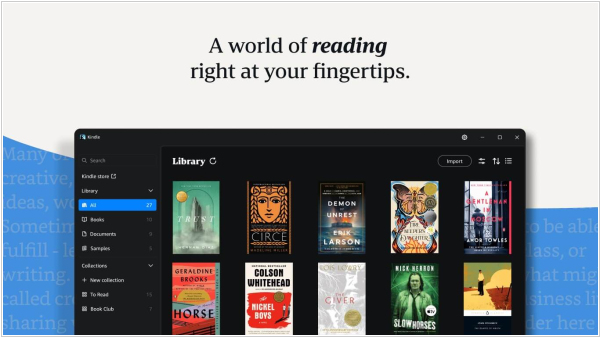
eBook Manager is a fast and easy to use application for organizing e-books on your computer and for transferring them from and to your Kindle e-readers. It understands .mobi, .azw and .azw3 file formats and extracts and shows book metadata like author, title, description, publisher, language, comment and cover image. Books can be organized to collections in the library stored on your computer (but this information is not transferred to the reader).

See also:
Top 10 eBook Organizers
Top 10 eBook Organizers
Calibre vs CloudMakers eBook Manager in our news:
2012. Book library software Calibre gets a modern new look
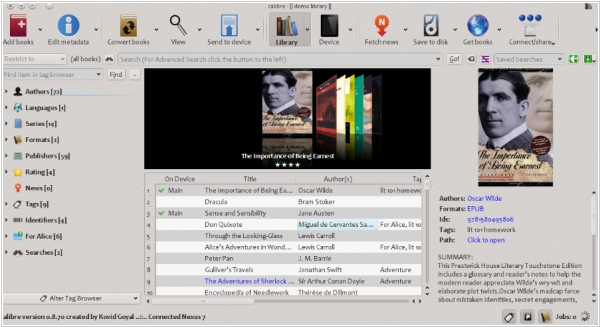
The latest version of e-library organizer Calibre 0.9 features a new "modern" appearance. This update provides a more contemporary look to the interface with emphasis highlighting, gradients, rounded corners and more. The refreshed e-book viewer includes a new "paged" mode, where the text is divided into pages. This allows you to view multiple pages on the screen simultaneously. Calibre can now connect wirelessly and via USB to Android devices. Modern Android devices often use a specific "MTP" protocol when connecting through USB. Calibre now supports this protocol on Windows (Vista and later) and Linux. Another new feature is Calibre Portable, which keeps the Calibre library and settings bundled with the Calibre program. This means you can store the entire setup on a USB drive and take it with you. Calibre's conversion engine now fully supports Amazon's new KF8 format. It can convert KF8 books to other formats and convert other formats to KF8. To convert to KF8, set the output format in the Calibre conversion dialog to AZW3.