Apple Books vs GoodReader
March 17, 2026 | Author: Maria Lin
48

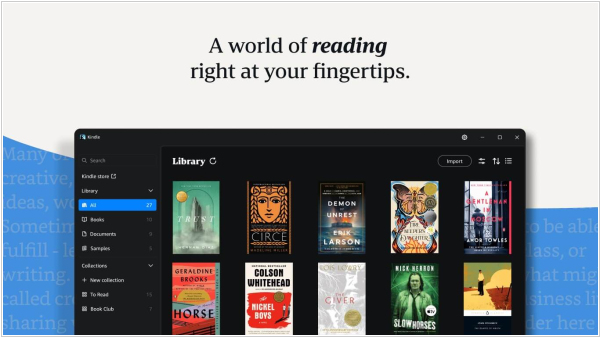
Default app for reading and listening to audiobooks on iOS that also features a bookstore with top bestsellers, free classics, hand-curated selections from experts and personalized recommendations. You can add your own ePub and m4b books via iTunes or the cloud. Apple CarPlay lets you listen to audiobooks while driving. Books sync across all your Apple devices. The app lets you track what you've read and what you want to read, and set your own reading goals. The reader features an "Automatic Night Theme" mode and adjustable screen brightness for a more comfortable reading experience.
15

GoodReader is the super-robust PDF reader for iPad, iPhone and iPod touch. With GoodReader on your iPad/iPhone, you can read virtually anything, anywhere: books, movies, maps, pictures. Use it once and you’ll be hooked. If you work with documents, soon you'll be wondering how you ever managed to use your iPad or iPhone without GoodReader. Besides reading, you can also sync your files with remote servers sync with Dropbox, SkyDrive, SugarSync and any WebDAV, AFP, SMB, FTP or SFTP server
Apple Books vs GoodReader in our news:
2019. Apple Books adds Reading Goals
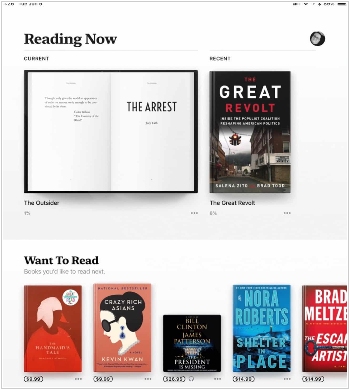
Apple will add reading goals in Apple Books. This feature will be available for audiobooks and ebooks when iOS 13 debuts later this year. Here is how Apple explained the system, “Read a book or listen to an audiobook for five minutes while in line for coffee, on your commute, or before bed to achieve your Daily Reading Goal. Build streaks to celebrate your achievements and share books you’ve finished with the Books Read this Year collection.” Reading Goals will be available on any iOS 13 device, such as the iPad, iphone, iPod Touch and MAC computers. It is currently unknown if you will earn badges and achievements or if it will simply be a daily reading goal for audiobooks and ebooks. We will learn more about this when the public beta launches next month.
2013. iBooks lost its bookshelf
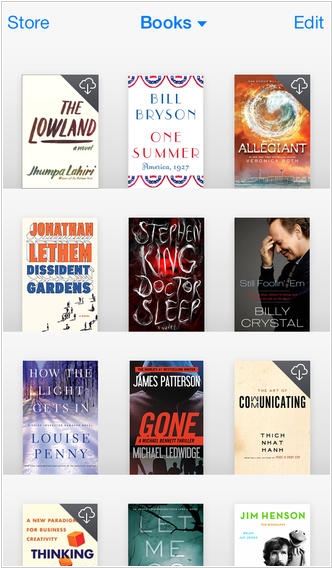
Apple has finally refreshed its e-reader app iBooks (for iPad and iPhone) with a design inspired by iOS 7. The iBooks interface has been stripped of its physical-world metaphors like wooden textures and bookshelves. The new design is sleek, featuring minimalism without the colorful sections and adding significant depth through the use of shadows. The iBooks app allows users to download and read books. It includes the iBooks Store, where you can access the latest bestsellers or your favorite classics—anytime. Browse your collection on an elegant virtual shelf, tap a book to open it, flip through pages with a swipe or a tap and bookmark or add notes to your favorite sections.