
Kindle Oasis vs ONYX BOOX Leaf
May 09, 2026 | Author: Dhaval Parekh
26

This premium 7-inch Kindle features an ergonomic design with dedicated buttons for page turning. It offers a long battery life of up to 6 weeks. Removable cover is available in black, burgundy, or walnut. The high-resolution 300 ppi display offers crisp, laser-quality text and reads like real paper without glare, even in direct sunlight. Adjustable warm backlighting allows you to change the screen tone from white to amber. IPX8 water resistance. Page orientation automatically changes when you rotate the screen. The VoiceView screen reader, accessible via Bluetooth, provides voice feedback, allowing you to control the device and read books using text-to-speech.
7

E-reader with 7-inch screen that allows to read both fiction and technical literature. Its high-performance hardware ensures smooth operation, even with the most complex documents. It runs on Android and allows installation of third-party apps. Built-in Wi-Fi module allows for access to various network services, while Bluetooth allows for connecting external devices. The e-reader features a slim, compact design, and its screen is covered with protective Asahi glass. BOOX software allows opening a wide range of ebook formats. A preinstalled audio player ensures low power consumption thanks to the E-Ink display and high-capacity battery (2000 mAh).
Kindle Oasis vs ONYX BOOX Leaf in our news:
2023. Onyx Boox firmware update adds more AI functionality
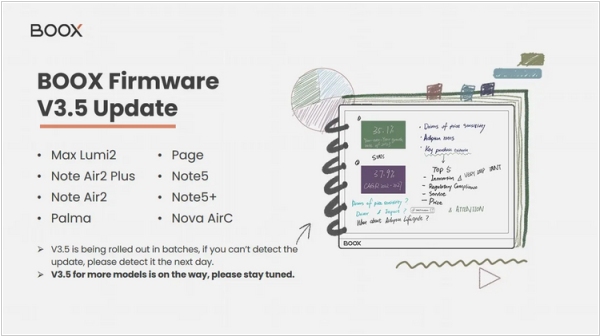
Onyx has released firmware version 3.5 for the following models: Onyx Boox Max Lumi 2, Note Air 2 Plus, Note Air 2, Palma, Page, Note 5, Note 5+ and Nova Air C. It features the ability to add blank pages to PDF files (for jotting down ideas and notes), generate book summaries using AI, search for similar books using AI, improved file scrolling with the mouse. It also allows to create notes with links to other notes, select text in notes using the flexible lasso tool, colorize notes using the new Fill tool, split the screen into several parts to work with two or three applications, change system fonts (you can import own fonts) and customizable mouse settings (cursor style, scroll direction and movement speed).

