JabRef vs Zotero
February 19, 2026 | Author: Laura Candler
12

JabRef is an open-sourced, cross-platform citation and reference management software. It uses BibTeX and BibLaTeX as its native formats and is therefore typically used for LaTeX. It can retrieve and link full-text articles, fetch complete bibliographic information based on ISBN, DOI, PubMed-ID and arXiv-ID, import new references directly from the web browser extension. You can complete and improve bibliographic data by comparing with curated online catalogues such as Google Scholar, Springer or MathSciNet, automatically rename and move associated files according to customizable rules, group links into hierarchical collections, organize articles based on keywords, tags, search terms or your manual assignments. Advanced search and filter features are also available.
15

Free, open-source software for managing bibliographic data and research-related materials. Zotero helps to collect, organize, annotate, cite and share research results. The built-in assistant automatically identifies research as you browse the web and creates citations and bibliographies for any text editor, as well as directly in Word, LibreOffice, and Google Docs. You can sort items into collections and tag them with keywords. You can also create saved searches that automatically populate with relevant materials as you work. The program runs on Mac, Windows, Linux, Android, and iOS.
JabRef vs Zotero in our news:
2022. Zotero 6 adds new Note Editor with annotations

The new version of reference management software Zotero 6 includes built-in PDF reader with a tabbed interface, which allows users to mark up PDFs with highlights, notes and image annotations. Additionally, users can clean up metadata for items while viewing their PDFs and add annotations to Zotero notes with automatic citations using a new, powerful note editor. Users can cite other items directly in their notes using Zotero’s familiar citation dialog and insert notes into Word, LibreOffice and Google Docs documents with active Zotero citations for automatically generating bibliographies. Finally, users can export notes to external Markdown editors with links back to Zotero items and PDFs. These new features make it easier than ever for researchers to manage their references, notes and citations all in one place.
2012. Zotero 3.0 is now a standalone software for Mac, Windows, and Linux
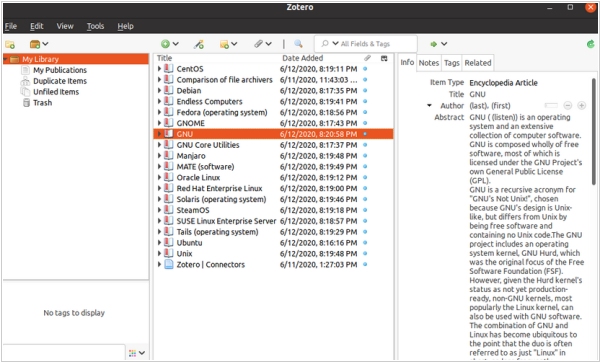
Zotero 3.0 has been released and it comes with significant changes from previous versions. One of the major changes is the ability to run independently of Firefox browser. This standalone version of Zotero, available for Mac, Windows and Linux, retains the same functionality as the previous Firefox-based version but allows users to use Zotero with other browsers, such as Google Chrome and Apple Safari. Along with the standalone version, Zotero 3.0 introduces several new features. One such feature is duplicate detection, which has been heavily requested for years. An elegant interface allows users to find and merge duplicate items. Additionally, there is a new word processor integration with a streamlined dialog box that enables users to quickly and efficiently add references to documents. References in word processing documents are now easily shareable with other Zotero users without using groups and even with people using other compatible software.