
Final Draft vs Scrivener
May 06, 2026 | Author: Laura Candler
9

Final Draft is the choice screenwriting software of studios and production companies worldwide. Streamlined screenwriting and editing while collaborating.
64

Win/Mac software for writers of all genres and screenwriters. Everything you write is integrated into a convenient project plan that's easy to edit. The program makes working on long texts easier because it breaks them down into smaller sections. Writers can write each scene in a separate document or entire chapters as a single unit; theses can be divided into arguments, chapters or paragraphs. The Corkboard interface allows you to overview character stories, chapters or the entire book. It also allows to organize reference materials into collections, flexibly customize formatting and styles, create templates for frequently repeated sections, edit metadata, export the book to popular formats such as Word, PDF and Final Draft, create automatic backups. Authors also can use iOS app that allows to write while traveling and then sync with desktop via Dropbox or iTunes.
Final Draft vs Scrivener in our news:
2018. Scrivener for macOS adds Dark mode and Scriptwriting improvements
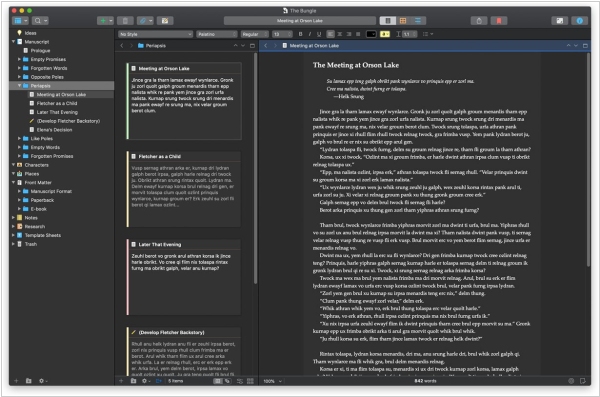
Software for writers Scrivener has released the new version 3.1 for macOS. One notable addition is full support for Dark Mode in macOS 10.14, which also allows complete control over the interface colors. Scrivener 3.1 also offers improvements to scenario writing, such as support for the NEXT and CONTINUE commands when compiling to PDF and the ability to not break sentences across pages in scripts. Improvements in Compile function also include the ability to add a cover image when compiling to PDF, improved compilation options for print-on-demand services and direct formatting for EPUB 3 and Kindle KF8 formats. Additionally, a new "focus mode" is available, allowing you to gradually hide everything but the current line, sentence or paragraph as you write.

