FBReader vs Moon Reader
February 27, 2026 | Author: Maria Lin
44

Free e-book reader that supports multiple file formats, including ePub, fb2, mobi, HTML, RTF, HTML, plain text, doc, and more. FBReader uses its own page parsing and rendering engine - very lightweight, fast and customizable. It supports embedded images, footnotes, hyperlinks, text search, full-screen reading. It also automatically creates bookmarks so you don't lose track of where you left off after closing a book. It works on iOS, Android, Windows, Mac OS, Linux, and Chrome OS. Books can be synced across devices or stored in Google Drive. For Android and iOS there are both free and paid versions. Free versions have some limitations.
37

Popular Android app that lets read books offline or directly from online book sites and OPDS. It features a comfortable viewing mode with smooth scrolling, full set of visual settings: line spacing, font size, bold, italic, shadow, alpha channel, smooth edge transitions. Over 10 built-in themes, including a day/night mode switch. Various page navigation options: touchscreen, volume keys, even the camera, search, or back buttons. The free version is ad-supported, while the paid version offers TTS engine, PDF support, more beautiful backgrounds, fonts and reading themes, password protection on startup, annotation sharing, reading statistics.
FBReader vs Moon Reader in our news:
2024. FBReader for Android improves ePub support
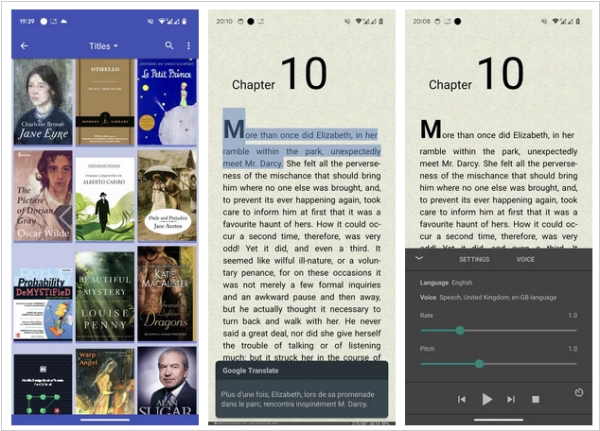
The new version of the popular reading app FBReader for Android 4.0 brings a significant change to the reader core. The developers have replaced the obsolete zip archive support with the modern libzip library. That means some ePub (and other zip files) that were not openable by FBReader will work now. On the other hand, any change in the core is potentially dangerous. Please report if you found some crashes or slowdowns with this release. Other new features include new appearance option: “Neglect screen notches”. It is helpful for devices with a wrongly detected notch, e.g., if the front camera is hidden under the screen. The app stores the correct reading per cent now. Reading progress will be shown correctly in the library. However, you have to open a book with the wrong indicator to fix it. The footer is visible over the reading-aloud panel. You can optionally switch to the old behaviour.