
Collectorz.com Book Collector vs Readerware
December 30, 2025 | Author: Maria Lin
47

Web service plus mobile app for managing personal book library. Allows to quickly add books via ISBN barcode scanning, choose which columns/fields you wish to see, browse your book database in cover flow, detect duplicates, keep your wish list, share book lists online. The app automatically downloads book information from CLZ's own huge online book database by ISBN: author, title, publisher, genre, subject and cover. But you can't keep actual book files in it. Both CLZ Books Mobile and CLZ Books Web can be used separately or synced via CLZ Cloud service.
9

Library management program for Windows/Mac/Linux with mobile apps for iOS and Android. It allows to enter a list of ISBNs, LCCNs or scanned barcodes, then automatically searches the internet and downloads book information, including cover images. The program can combine information from multiple websites to create the most comprehensive database. The built-in search allows to filter books by Author, Title, ISBN and Category. Search results are displayed in an easy-to-read, customizable table, tree or thumbnail view. You can easily manage your database, categorize your collection, assign ratings and add custom database fields. Readerware includes built-in book lending tracker to register book issues and returns, search and print list of books currently on loan and expired. The program discontinued.

See also:
Top 10 eBook Organizers
Top 10 eBook Organizers
Collectorz.com Book Collector vs Readerware in our news:
2023. CLZ Books allows to use multiple folder levels

Collectorz.com has released a significant update to its CLZ Books mobile app, introducing a usefull feature that expands the ability to browse and filter books in your collection. This update allows users to use multiple levels of folders (in the previous version it supported only one level with folders Author, Publisher, Subject, Location and so on). However, the latest version now allows you to combine folders. For example, you can now open Publisher folders and create Author folders within each of them. Additionally, the app now includes a set of pre-created multi-level favorite folders that are both convenient and practical, such as "Publisher/Author," "Publication Year/Author," and "Purchase Year/Retailer"
2022. Book collection software Collectorz.com added Month folders, Cover-paste feature
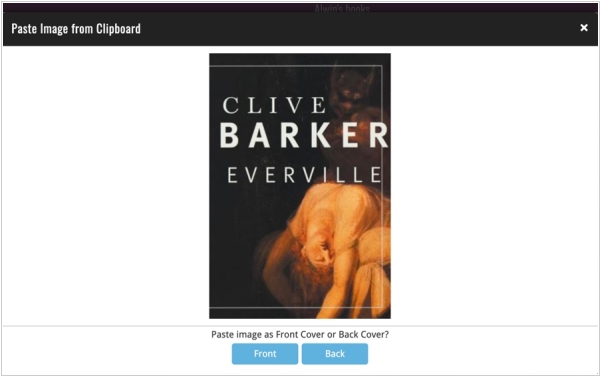
Book collection software Collectorz.com has added some new features. In the Cover tab of your Edit screen you can now paste an image from the clipboard. A quick popup will appear with the pasted image, asking you if you want to past it as front or back cover. In addition to existing “Year” folder options (e.g. for “Added Year”, “Purchase Year”, etc… ) the developers added two more “granular” folder options. You can now folder by “Month” (e.g. “Purchase Month”) or by the exact day (e.g. “Added Date”). These Month and Date folder options are now available for all your date fields. The final and smallest tweak: the “Move to Other Collection” command is now available for one specific items, from the toolbar above its Details Panel. The developers also did a small re-design to the screen that pops up for selecting which collection to move to.

