Calibre vs Ubooquity
November 26, 2025
62

Calibre is a free, open-source program (written in Python) for managing e-book libraries on Windows, Mac and Linux. It offers the most rich set of features, divided into the following main categories: library management, e-book conversion, synchronization with e-readers, downloading news from the internet and converting them to e-book formats, e-book viewer-reader, e-book editor and a content server for web access to your book collection. The program reorganizes book files into own structure. There are numerous plugins developed for the program by the community. However, many find the interface cluttered and unwieldy.
20

Ubooquity allows to organize and read your ebooks and comics on your favorite device, supports many types of files, with a preference for ePUB, CBZ, CBR and PDF files. Ubooquity can be installed on any OS supporting Java (Windows, Linux, Mac OS...) and on a wide range of hardware (desktop computer, server, NAS...). Ubooquity lets you create user accounts and set access rights for each shared folder.

See also:
Top 10 eBook Organizers
Top 10 eBook Organizers
Calibre vs Ubooquity in our news:
2011. Video: Calibre Tutorial about its features and interface
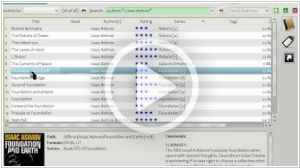
Kovid Goyal, the creator of the popular home library management software Calibre created this video tutorial called "How to use Calibre - a look at its features and user interface". It shows some tips of how to optimize your usage of the program user interface. The main window interface consists of four areas: the book list (shows the books in your library), library browser sidebar (allows to browse your collection by various categories like series, publishers, rating...), book detail view (shows the book cover, formats available, comments..) and the upper search bar (allows to find books in your calibre collections). The user interface areas can be risized and hidden. You can also rearrange/hide columns in the book list. Watch the video about this robust library management software.