AlReader vs FBReader
March 06, 2026 | Author: Maria Lin
25

Free Android reader that supports formats fb2, fbz, txt, epub, html, doc, odt, rtf, mobi, prc, archives. Its local library allows to sort books by author, series, title, year of publication, genre. The app provides such functions as converting text to speech, downloading from OPDS, setting file encoding, dictionaries, editing Fb2 and TXT files, profiles with independent settings of font, color, brightness, gamma correction and text indentation. You can choose one- and two-page reading mode with automatic switching to two-page mode in landscape orientation. Appearance adaptation for E-Ink screens, support for "fast" update for Sony T1/T2, Nook Simple Touch/Nook Simple Touch with Glow Light, Onyx Maxwel/Kopernik/Kepler, Texet 138.
44

Free e-book reader that supports multiple file formats, including ePub, fb2, mobi, HTML, RTF, HTML, plain text, doc, and more. FBReader uses its own page parsing and rendering engine - very lightweight, fast and customizable. It supports embedded images, footnotes, hyperlinks, text search, full-screen reading. It also automatically creates bookmarks so you don't lose track of where you left off after closing a book. It works on iOS, Android, Windows, Mac OS, Linux, and Chrome OS. Books can be synced across devices or stored in Google Drive. For Android and iOS there are both free and paid versions. Free versions have some limitations.

See also:
Top 10 eBook Organizers
Top 10 eBook Organizers
AlReader vs FBReader in our news:
2022. FBReader for Mac is out
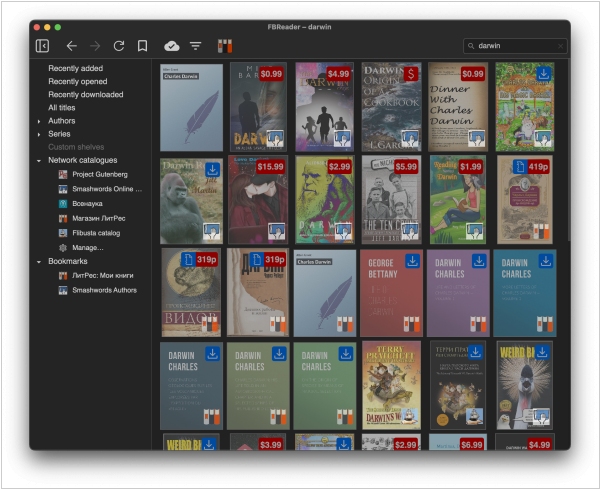
The popular ebook reader FBReader 2.0 for Mac is now accessible in the Mac App Store. This means FBReader is now available for three major desktop operating systems: Mac OS, Windows and Linux. The reading mode is largely complete, as well as the library view, including cloud synchronization. It supports the following book formats: ePub, fb2, fb2.zip, mobi, rtf, MS doc, plain text and cbz. The rendering engine accommodates CSS styles, hyperlinks, hyphenation, page headers and footers, text selection, page turning/text scrolling and two-column mode. Features such as table of contents, bookmarks, language selection, advanced text navigation and dark theme are all included. There is also a multi-book (multi-window) mode.