Alfa Ebooks Manager vs Collectorz.com Book Collector
December 16, 2025
63

Powerful, yet beautiful and easy-to-use book organizer. Suitable for book lovers, collectors, students, teachers, schools and business libraries. Allows to organize e-books and printed books in a single digital library. Includes a built-in reader, audiobook player, format converter, metadata editor and a web server for local network access. Enables to quickly find books, including by full-text search. It's highly customizable - you can add custom fields, build a genre tree, add tags. Integrates with Amazon, Google Books and other websites to update book metadata. You can even view books in 3D.
47

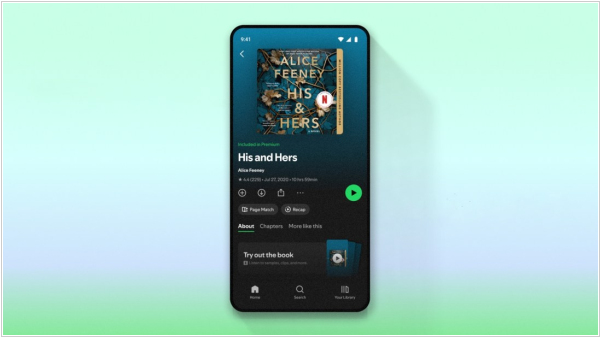
Web service plus mobile app for managing personal book library. Allows to quickly add books via ISBN barcode scanning, choose which columns/fields you wish to see, browse your book database in cover flow, detect duplicates, keep your wish list, share book lists online. The app automatically downloads book information from CLZ's own huge online book database by ISBN: author, title, publisher, genre, subject and cover. But you can't keep actual book files in it. Both CLZ Books Mobile and CLZ Books Web can be used separately or synced via CLZ Cloud service.

See also:
Top 10 eBook Organizers
Top 10 eBook Organizers
Alfa Ebooks Manager vs Collectorz.com Book Collector in our news:
2026. CLZ Book Collector added reading history tracking
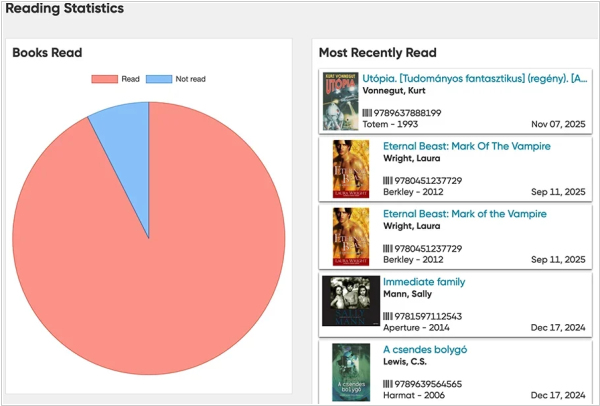
CLZ Books Web now features reading history tracking. It allows you to not only mark books as read but also track multiple reading sessions, enter both start and end dates and even track your reading progress, i.e., the number of pages read out of the total. You can also use folders to group by reader, reading status, year read, month read or reading date to get a good overview of which books you or someone else in your family is reading, finished or abandoned during each period. Your full reading history is displayed in a separate section on the book details panel, as well as in the new "Reading Statistics" section. The developers have also added intelligent automation settings for starting and ending a reading event. You can fine-tune what CLZ Books Web does when adding a new reading event or setting the status to "Completed." For example, you can allow the end date to be automatically populated when setting the status to "Completed."
2022. eBook management software Collectorz adds vertical book cards
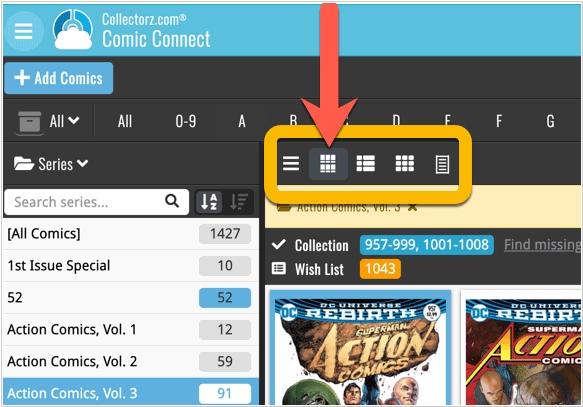
Vertical Cards, recently introduced in Collectorz.com Book Collector mobile apps have become instantly very popular, so now they are available in all five Connect flavors too: the Card View. And because Connect already had a view called “Card View”, the developers renamed the old view to “Horizontal Cards” and named the new one “Vertical Cards”. Here’s how to switch to new “Vertical Cards” view: on the toolbar above your collection list, click the 2nd button from the left, called “Vertical Cards”.
2017. Book Collector adds completely new Add Books screen
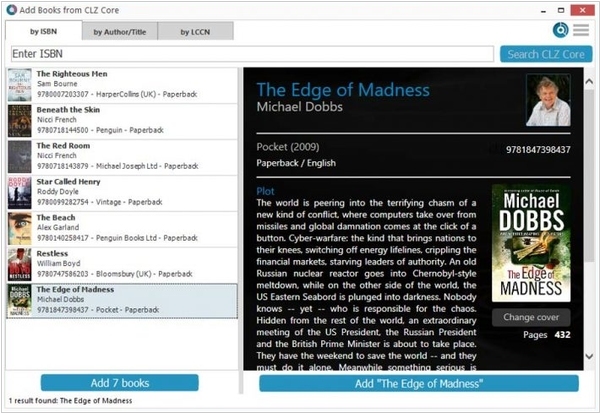
Book Collector for Windows v17.1.1 introduces a completely revamped Add Books screen. The screen has been entirely redesigned to be both more user-friendly and visually appealing. The new two-panel layout displays search results on the left and a preview on the right. Search Results now include cover images. An automatic preview of the selected result (no need for double-clicking) is shown. For ISBN additions, the ISBN Barcode Queue and Search Results are now merged into a single list. When adding by title/author, automatic previews are available. The Add button now opens a small “Add to Collection” versus “Add to Wish List” menu. This can be turned off using the “Adding to Collection/Wish List” option in “Tools > Options > Add/Update Books Automatically”.