Aldiko vs FBReader
March 02, 2026 | Author: Maria Lin
34

Mobile app (Android, iOS) with an integrated bookstore (Feedbooks), which also allows you to borrow books from your local library and import your own EPUB, CBZ, or PDF files. Contains audio player. Thus, it lets you gather all your ebooks, comics and audiobooks in one place, regardless of their origin. The store contains 1.2M titles -from bestsellers to literary classics from major global and independent publishers. Books are available in English, French, German, Spanish and Italian. Aldiko can access compatible library catalogs (thanks to OPDS support), so you can browse and interact with your library's catalog.
44

Free e-book reader that supports multiple file formats, including ePub, fb2, mobi, HTML, RTF, HTML, plain text, doc, and more. FBReader uses its own page parsing and rendering engine - very lightweight, fast and customizable. It supports embedded images, footnotes, hyperlinks, text search, full-screen reading. It also automatically creates bookmarks so you don't lose track of where you left off after closing a book. It works on iOS, Android, Windows, Mac OS, Linux, and Chrome OS. Books can be synced across devices or stored in Google Drive. For Android and iOS there are both free and paid versions. Free versions have some limitations.
Aldiko vs FBReader in our news:
2022. FBReader comes back to Windows
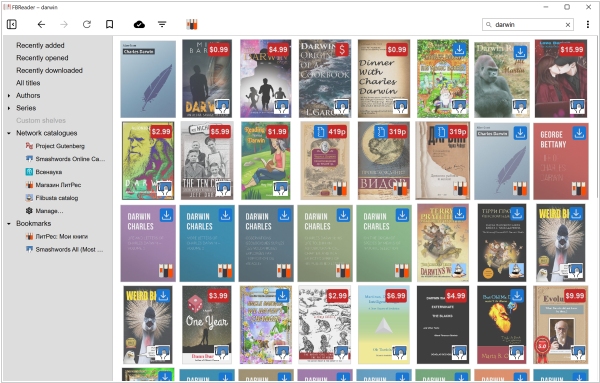
Eight years after its previous release, FBReader returns to Windows. The new version, FBReader 2.0, incorporates most of the features found in the iOS and Android apps but is specifically designed for desktops and laptops. The app is compatible with Windows 10 (build 17763 and higher) and Windows 11. Currently, FBReader is only available for Intel 64-bit architecture, though it also operates on Windows 11 Arm64 via emulation. The app does not support Windows 10 Arm. The updated version features a redesigned interface, light and dark themes and now includes Ukrainian interface localization. The new rendering engine uses CSS-defined colors (which can be disabled in settings). The preferences dialogue includes options for bookmark styles. A new feature allows hiding the toolbar in fullscreen mode and image brightness in dark mode is automatically reduced. Additionally, the developers have added an “Import multiple files” option in the library window.