Adobe Digital Editions vs Adobe Reader
March 03, 2026
28

Free Adobe's reader for PDF and EPUB eBooks on PC, Mac and mobile devices. It lets you purchase and download digital content, borrow books from local libraries and read them both online and offline. It also lets you add bookmarks, highlight and mark important and favorite passages in your eBook. ADE is ideal for reading scientific and professional illustrated books. It supports right-to-left reading, dynamic image resizing without loss of clarity, improved display of mathematical formulas, smart searching, and text navigation. It syncs library across devices and includes a built-in player for playing audiobooks. ADE can be used with various screen readers, including JAWS, Window-eyes, and NVDA on Windows, and Voiceover on Mac OS.
21

Adobe Reader software is the free trusted standard for reliably viewing, printing, and annotating PDF documents. It’s the only PDF file viewer that can open and interact with all types of PDF content, including forms and multimedia.
Adobe Digital Editions vs Adobe Reader in our news:
2017. Older versions of Adobe Digital Editions are no longer compatible with Overdrive
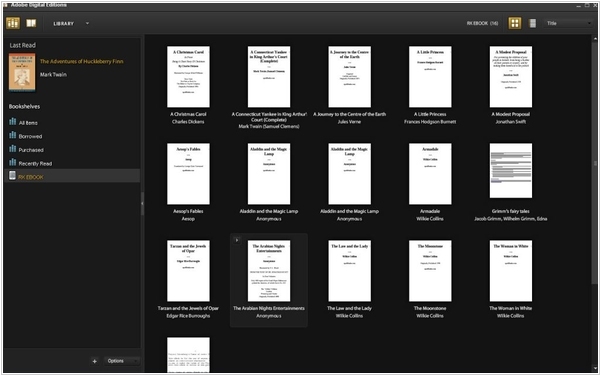
Ebook catalog software Adobe Digital Editions allows you to transfer e-books borrowed from the library or another bookstore to your e-reader, smartphone, or tablet. Many users have been encountering numerous errors recently with older versions of Digital Editions. In recent months, Google Play, Overdrive and various other online retailers have updated their Adobe Content Server, causing compatibility issues for those using outdated versions of Adobe Digital Editions. If you use this software, it’s advisable to upgrade to version 4.5, which appears to function correctly at present.
2014. Adobe Digital Editions 3.0 promises better DRM, layout support
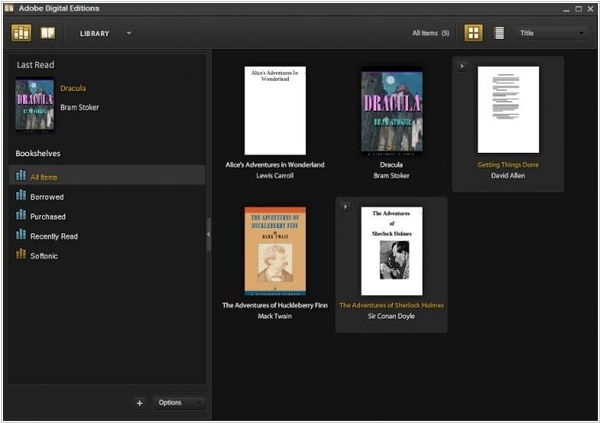
Adobe has released the new version of its library organizer program Adobe Digital Editions 3.0 for Windows and Mac. The headline new feature is the new DRM Scheme, which Adobe says has been “hardened and made more secure” to prevent unauthorised viewing of files protected by Digital Rights Management. Version 3.0 also promises search improvements when hunting through PDF files, making it possible to now search for text in a specific range. There’s enhanced support for vertical layout and orientation, achieved by adding limited support for the “epub-text-orientation” CSS property. Four of the property’s six values – mixed, upright, sideways-right and sideways – are accessible to Adobe Digital Editions. It also now properly aligns special characters that act as both full- and half-width. Adobe Digital Editions 3.0 is available now as a freeware download for Windows and Mac. Users will need an Adobe ID in order to sign in and authorise the computer as a supported device for reading protected eBook files.